False Ending That Dumps Retention
Fix the YouTube fake-out ending that triggers a retention drop: mark the cue, read the transcript, and choose one more beat or actually end.

10 min readUpdated
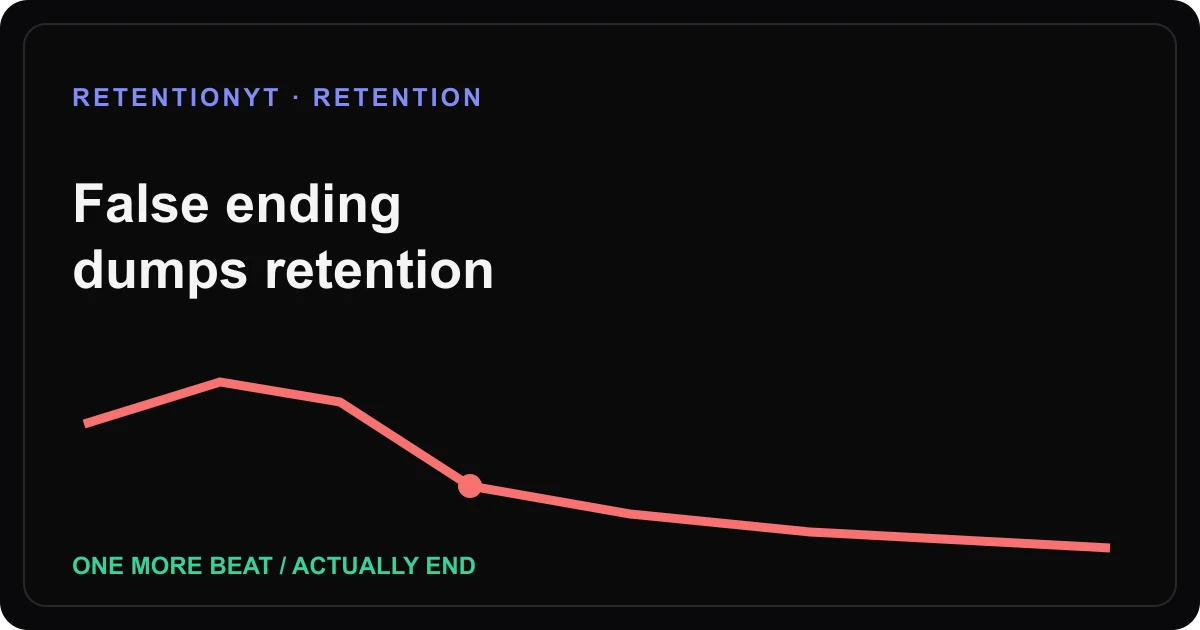
In this guide
As of August 24, 2026, a false ending is a cue that says “we are done” while the video keeps talking. Mark the second, read the line before the tail, and choose one move: add one necessary beat before the cue, or actually end. Do not surprise viewers with a post-credits lecture that was never part of the promise.

What False Ending That Dumps Retention actually is (and what it is not)
A false ending is a sequence that performs closure before the promised work is complete. The viewer hears a swell, sees a posture change, or gets an “anyway” line, then receives another 90 seconds of explanation. That is an editorial problem to diagnose, not a universal YouTube category or guaranteed explanation for every drop.
The locked SOURCE 1 URL currently renders YouTube Help’s Reach page, not the supplied Audience retention page. As of August 2026, that exact page supports a narrower statement: the Reach report helps you understand how viewers find content, and its computer path is YouTube Studio → Content → selected video → Analytics → Reach.1 It does not support a claim about false endings, typical retention, or a 90-second tail.
Where RetentionYT fits
Manual method works alone. Product shortens the loop. RetentionYT can help you review script pacing before recording, but you can apply the timestamp method without signing up.
The useful distinction is between a cue and a cause. A cue tells you where the viewer may have been asked to leave; the transcript and edit tell you what to test.
| Signal | What it means for your review | What it does not prove |
|---|---|---|
| Music swell | Closure may have been signalled | Music alone caused every exit |
| Closing posture | Performance may have changed | The viewer disliked the creator |
| “Anyway” line | Language may have ended a thought | The next beat has no value |
| Long tail | Material continues after closure | A platform threshold was crossed |
Why this shows up in YouTube Studio
In August 2026, the exact locked SOURCE 2 page is titled “Understand your YouTube content performance.” It says the Content tab is available at the channel level and gives the computer path: sign in to YouTube Studio, choose Analytics, then Content. In its Videos area, Key moments for audience retention shows how different moments held viewers’ attention, and typical retention can compare your 10 latest videos of similar length.2
That source supports checking the report; it does not support a rule such as “wait for 100 views,” “wait two days,” or “a false ending always creates a dead tail.” The supplied 2026 seed is therefore treated as an editorial hypothesis. Your graph is evidence about your upload, not permission to publish a universal threshold.
The source also says that, beginning August 24, 2026, views are counted when a video starts to play across formats. That update is context, not a diagnosis of an ending-cue drop.
Worked example 1: the failure
Here is an illustrative failure, not a channel result and not YouTube data. A creator promises to show a three-step editing check. The video reaches the last step, music lifts, the creator leans back and says, “Anyway, that’s it.” Then the creator spends 90 more seconds explaining optional settings that were not in the promise.
The problem is not simply “the ending was too long.” The cue says the promise is complete, while the tail introduces a new job. Mark the cue, read the next paragraph, and ask whether the viewer could leave without missing the promised result.
| Timestamp | Illustrative curve reading | Transcript / edit beat | Working diagnosis |
|---|---|---|---|
| 0:00 | 100% starting point | Three-step promise | The job is clear |
| 0:08 | 72% after an illustrative dip | “Anyway, that’s it” | Closure cue arrives early |
| 0:30 | 64% illustrative checkpoint | Optional settings begin | New job has no bridge |
| end | 38% illustrative endpoint | Tail finally stops | Promise and stop were misaligned |

The fix is local. Either move the optional settings before the closure cue and make them part of the promise, or cut them and let the video stop when the three-step check is complete.
Worked example 2: the fix
The revised script finishes the promised check, then says: “One last thing: if you want the optional setting, here is why it matters.” That sentence keeps the next beat honest because it names the exception before the viewer hears closure. After the setting, the creator gives the actual final line and stops.
The numbers in the example remain illustrative; they are not a benchmark and do not predict what your graph will do. The test is whether the script makes the next beat legible.
Write six candidate bridges before choosing one:
- “The three-step check is complete. One optional setting matters if your export still looks soft, so I’ll show it before we close.”
- “That is the result you came for. Before we end, here is the one exception that changes the setup.”
- “We have fixed the promised problem. I’m adding one final proof beat, then we are done.”
- “The main workflow works. If your case is different, here is the short branch before the final line.”
- “You have the answer; now watch the one mistake that can undo it, then I’ll stop.”
- “That was the last required step. I’ll show one optional check, label it optional, and end.”
These are editorial lines, not product-performance claims. Choose the one that matches the actual promise; do not use a bridge to justify endless extras.

How to check this in YouTube Studio (step by step)
-
Write the intended ending. Put the promised result and the actual final line in your script. If optional tips remain, label them before the closure cue.
-
Mark the cue in mm:ss. Write the second where the music, posture, phrase, or visual says “done.” Use 0:08 only as an illustrative example, not as a platform threshold.
-
Open the report your account actually shows. SOURCE 2 documents YouTube Studio → Analytics → Content and the Videos area’s Key moments for audience retention. If you cannot access an account report, record that limitation rather than inventing a result.
-
Read a small transcript window. Copy the final sentence before the cue and the first sentence after it. Name the exact bridge, new job, or unfinished promise.
-
Choose one repair. Move the proof before the cue, write one necessary beat with a clear bridge, or cut the tail and end. Do not rewrite the whole video because one point moved.
-
Compare the next upload carefully. Keep the review question narrow and note the date, video length, cue timestamp, old line, replacement, and what changed. A changed outcome is an observation, not a universal rule.
For a line-by-line graph workflow, read how to read your YouTube retention graph. For the opening promise, use the first-30-seconds guide. The viewer retention checker can shorten pre-recording review, while this manual method works without an account.

The trap
The trap is treating the label as the diagnosis. “Dip” becomes “bad topic,” “music” becomes “the entire cause,” and “tail” becomes “rewrite every section.” Your graph gives you a location; your transcript gives you a test.
A second trap is hiding the real ending inside a joke, montage, or low-contrast caption. If the viewer needs to understand that the sponsorship, optional branch, or final proof is still coming, write that transition plainly. Do not make a visual effect carry meaning the script avoids.
The trap
The move

A false ending is not a long ending. It is a closure cue followed by a new job.
What to do in the next upload
Draft the final line while the body is still flexible. Read the cue, the next sentence, and the promised result without music; if the next line sounds like a new video, label it before the cue or remove it.
- Write the promised result in one sentence before drafting the last minute.
- Mark the exact ending cue in mm:ss, including music, posture, words, or visual change.
- Read the transcript line before and after the cue.
- Label optional tips before the viewer hears closure.
- Move proof before the cue when the promise is still unfinished.
- Add only one necessary beat after the cue, with a clear bridge.
- Cut the tail when the promised job is complete.
- Record the date, video length, cue timestamp, and edit hypothesis.
- Compare the same window on the next upload without changing everything else.
- Keep illustrative numbers labelled in prose and captions.
The next useful question is not “Was the tail bad?” It is “What did the viewer hear as the ending, what promise remained, and which one line will I move, add, or cut?” Make that decision before you add another 90 seconds.
Frequently asked questions
- Why did retention fall before my actual end?
- Retention can fall before the last frame when the script, edit, or performance gives the viewer an ending cue and then continues. Treat the moment as a timestamp to inspect, not proof of one cause. Read the words around the cue, check the unfinished promise, and decide whether to add one real beat or end there.
- What is a false ending?
- A false ending is an ending signal—such as a music swell, closing posture, or “anyway”—followed by more material that the viewer did not expect. It is an editorial diagnosis, not a guaranteed platform category. Mark the cue, align it to the transcript, and either complete the promise before the cue or cut the tail.
- Should I put extra tips after the wrap-up?
- Only if the tips are part of the promised payoff. Put them before the ending cue or make the next beat explicit; do not add a surprise lecture after the viewer thinks the video is finished. If the extra tips are optional, turn them into a separate, clearly labelled asset or end-screen destination.
- Does music cause this?
- Music can contribute to an ending cue, but it is not the only possible cause. Posture, pacing, a closing phrase, a visual change, or a completed promise can signal “we are done.” Test the whole handoff: listen without music, read the line aloud, and check whether the viewer still knows why the next sentence matters.
- How do I fix it in the next video?
- Before recording, write the final promised beat and the actual stopping point. During review, mark the cue in mm:ss, read the surrounding transcript, and choose one repair: move the proof before the cue, add one necessary beat, or cut the unused tail. Compare the next upload without changing every other variable.
- How do I apply “False Ending That Dumps Retention” on my next upload?
- Use the manual method: copy the last promised beat, mark the ending cue, align it to your transcript, and write either one necessary next beat or a clean stop. RetentionYT can shorten the pre-recording review, but you can apply this workflow without signing up. Keep every number illustrative unless a locked source supports it.
- Where in YouTube Studio do I check “False Ending That Dumps Retention”?
- The exact SOURCE 1 page currently opens a Reach report, not the supplied Audience retention page. The exact SOURCE 2 page documents the path sign in to YouTube Studio, choose Analytics, then Content, and its Videos area includes Key moments for audience retention. Use the account report you can actually access; do not invent thresholds or pretend to inspect a graph.
- What is the most common mistake with “False Ending That Dumps Retention”?
- The common mistake is treating the ending cue as the explanation. A drop is a location to inspect, not permission to rewrite the whole video. Match the timestamp to the last spoken line, visual, and promise, then make one controlled edit: finish the beat, move it earlier, or actually end.
Give your next script a second look
Paste a script into RetentionYT for suggestions on your hook, pacing, and structure. Choose the edits that serve your video, then check audience behavior in YouTube Analytics after publishing.
Get retention tips in your inbox
Occasional, practical emails on hooks, pacing, and retention. No spam.
Related posts
How to Handle a Spike: Clone the Line, Don't Just Smile at Analytics
When YouTube retention spikes, transcribe the exact 8 seconds, explain why viewers replayed it, and turn the line into a hook, thumbnail noun, or Short.
How to Use YouTube's Typical Retention Comparison Line
Use YouTube's typical retention comparison line to read your graph, find the moment that trails similar-length videos, and choose the next rewrite without fake benchmarks.
Why Your Public View Count Changed and Your Retention Graph Did Not
YouTube views up retention same 2026? Separate the new public first-frame counter from engaged-view retention, then fix the opening that still loses viewers.