How to Write a Hook When the Title Is a How-To
YouTube how-to title hook that is not boring: turn one title noun into a result-first first line, a visible object, and a proof cue your viewer can follow.

9 min readUpdated
In this guide
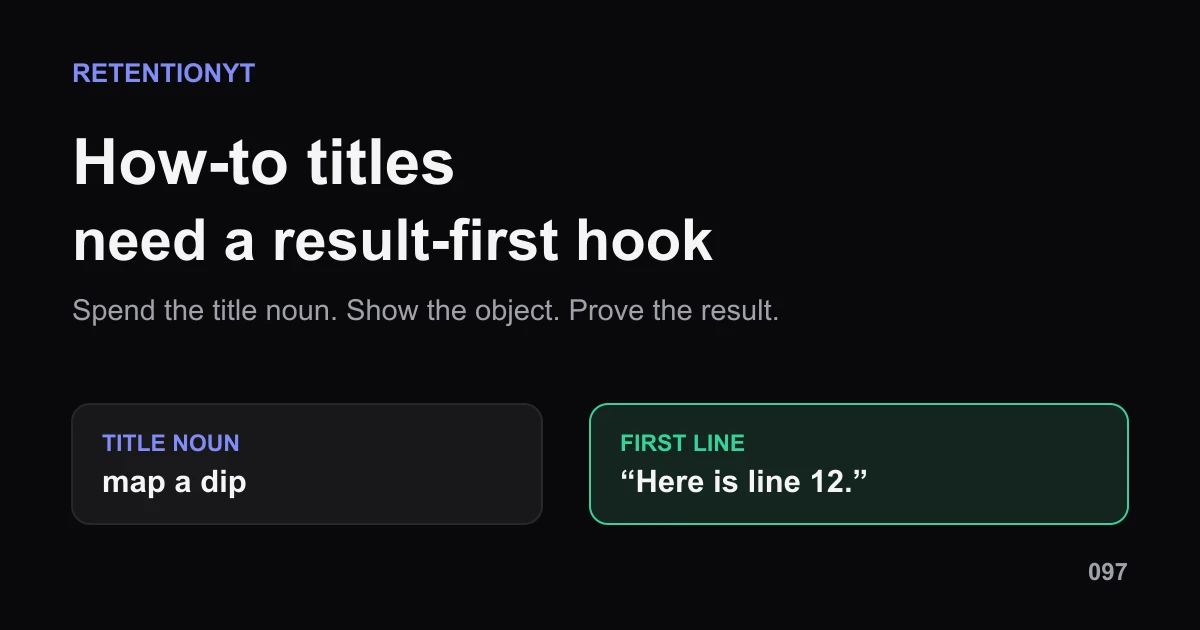
A how-to title can still open with a result. As an editorial rule of thumb, pull one noun from the title, say what changes, and show the object in the first 8 seconds. “This 0:47 dip is line 12 of your script” is more useful than “today I will show you how to map a dip.” The number makes the dry title feel like a live problem.

What How to Write a Hook When the Title Is a How-To actually is (and what it is not)
The method is simple: treat the how-to title as a source of nouns, not a sentence you must repeat. Find the artifact the viewer wants to change—dip, line number, export, setting, map, or file. Put that artifact in the first line and the first frame, then state the result the viewer is waiting for.
A result-first hook does not explain the whole tutorial. It confirms the job, gives the viewer a concrete picture, and leaves the mechanism for the body. The title says what the video teaches; the hook says what just happened or what the viewer will see next. That gap is useful only when the video actually closes it.
| Element | Job in the first 8 seconds | Risk to remove |
|---|---|---|
| Title noun | Connect the click to a concrete artifact | Repeating the full title |
| Result-first line | State the change or payoff | “Today I will show you…” |
| Object in frame | Give the eye something to verify | Abstract b-roll or logo |
| Proof cue | Mark where explanation starts | Delayed evidence |
These are editorial planning counters, not YouTube benchmarks. They keep the hook narrow enough to write and test. If the first line needs three sentences to explain itself, the title noun is probably too broad.
Why this shows up in YouTube Studio
The locked SOURCE 1 page currently identifies itself as YouTube video reach. It says the Reach tab helps you understand how viewers find your content, and documents a path through YouTube Studio, Content, the selected video, Analytics, and Reach. It also lists reach context such as click-through rate, watch time, views, and more 1 (August 2026).
The locked SOURCE 2 page covers the performance view. Under Videos, it says the Key moments for audience retention report shows how different moments held viewers’ attention, and that typical retention can compare your 10 latest videos of similar length 2 (August 2026). That supports the check after publishing; it does not promise that a result-first hook will rank.
The brief labels SOURCE 1 “Audience retention,” but the opened URL is a Reach page. That is a source conflict, not a reason to force the brief’s wording. This package uses SOURCE 1 for Reach/navigation claims and SOURCE 2 for key moments and typical retention. The handoff and audit log preserve the conflict.
Where RetentionYT fits
Manual method works alone. Product shortens the loop. Use RetentionYT for an optional script pass, but a timer, a recording, and your Studio reports are enough to run the method.
Worked example 1: the failure
Consider an illustrative tutorial titled “How to Map a Retention Dip to the Exact Line in Your Script.” The creator opens with, “Today I will show you how to map a retention dip to the exact line in your script,” then adds a logo and a long screen intro. The title is accurate, but the first line repeats it instead of spending it.
The numbers below are illustrative, not YouTube data. They show the annotation a creator can make around the first object and proof. The title noun—dip—does not become a visible object until the tutorial is already explaining the method.
| Checkpoint | Illustrative viewers remaining | What the opening communicates |
|---|---|---|
| 00:00 logo begins | 1,000 | Brand appears; job is still abstract |
| 00:04 title repeated | 930 | Topic is named; result is missing |
| 00:08 setup continues | 860 | No map or line anchors the click |
| 00:14 dip appears | 740 | Proof finally becomes visible |
The failure is not the how-to format. It is the delayed result and missing object. A viewer who searched for the line number still has no line number to inspect. The opener describes the tutorial from outside instead of starting inside the answer.

Do not treat the green or red line as a target. It is a diagnosis sketch. SOURCE 2 tells you where to inspect moments and typical retention comparisons; it does not turn these illustrative values into universal performance data.
Worked example 2: the fix
Keep the same illustrative title. Open on the retention map with the 0:47 dip highlighted. Say, “This 0:47 dip is line 12 of your script—here is the conversion.” On [HIT], cut to the line number and then show the exact edit. The title noun, result, object, and proof now arrive as one handoff.
The mechanism stays withheld for a beat. The viewer knows what changed and where the evidence is, but still needs the tutorial to learn the conversion. That is the useful gap: clear enough to confirm the click, open enough to justify the next section.

For more structures, use the related analyzer as an optional pre-recording pass. The YouTube Hook Formulas guide gives formula patterns, and Writing Hooks That Work gives a process for payoff, specificity, stakes, compression, and testing.
How to check this in YouTube Studio (step by step)
- Copy the title into a note and underline one concrete noun.
- Write the result-first line. Include a number, moment, or artifact when it is truthful and useful.
- Put the noun on screen in frame one. Use the map, setting, file, chart, or line—not a logo placeholder.
- Mark the first proof cue as [HIT], cut, cursor landing, crop change, or before-and-after.
- Read the line aloud and remove greeting, credentials, and “today I will show you” padding.
- Record two variants. One can lead with the result; one can lead with the problem. Keep the promise the video can actually deliver.
- Open YouTube Studio. SOURCE 1 documents Studio, Content, the selected video, Analytics, and Reach for reach reports [1]. Use the controls visible in your account.
- Open the performance view. SOURCE 2 documents Key moments for audience retention and typical retention for the 10 latest videos of similar length [2].
- Inspect the first object and first proof. Note the timestamp, spoken line, visible noun, and what the viewer should understand next.
- Change one variable on the next upload. Move the object earlier, shorten the line, sharpen the result, or remove the logo. Keep the title promise stable.
Manual review is enough. If you want an optional pre-recording pass, RetentionYT can shorten the loop, but it cannot decide whether the first frame proves your title.

The trap
The trap is confusing search clarity with title repetition. “How to map a dip to a line number” already tells the viewer the topic. If your first line repeats that sentence, you have spent the opening naming the lesson instead of showing why the lesson matters now.
The trap
The move

What to do in the next upload
Use this checklist before you record:
- Underline one concrete noun in the how-to title.
- Write the result before the tutorial context.
- Put the noun or artifact in the first frame.
- Use a truthful number, moment, or named object when it helps.
- Keep the hook to a result-first line plus the next useful beat.
- Mark [HIT], cut, cursor landing, or proof transition.
- Read two variants aloud and delete warm-up language.
- Keep the mechanism for the body, not the first sentence.
- Open Studio and inspect the first object and proof after publishing.
- Change one hook variable on the next upload.
A dry how-to title can work when the first line makes its noun feel like a live problem.
Frequently asked questions
- How do I hook a how-to video?
- Start with the result, not the phrase “today I will show you.” Pull one concrete noun from the how-to title, state what changes, and put that noun in frame one. Add a proof cue next. The viewer should hear the answer beginning before you explain the setup.
- Can how-to titles use cold opens?
- Yes. A how-to can open inside the result or demonstration, then give the path. A cold open is an editorial format, not a YouTube ranking guarantee. Make the first moment answer the title’s job, keep the mechanism for the body, and check whether viewers stay through the handoff.
- Must I say the keyword first?
- No universal keyword-first requirement appears in the locked YouTube Help pages. Use a title noun early when it makes the click feel confirmed, but do not repeat the entire title. Say the noun, add the specific result, and let the object or proof carry the next beat.
- Example of a how-to hook?
- For a title about mapping a dip to a line number, try: “This 0:47 dip is line 12 of your script—here is the conversion.” The title noun, result, and number arrive together. Show the map or script line immediately, then explain how to reproduce the fix.
- Will this still rank in search?
- The locked sources document YouTube Analytics reports, not a ranking promise for any hook. Search intent can shape the title and opening, but no hook guarantees ranking or suggested placement. Keep the title accurate, deliver its result early, and judge the published response in your available reports.
- How do I apply “How to Write a Hook When the Title Is a How-To” on my next upload?
- Underline one noun in the title, write a result-first sentence with a number or object, and record two variants aloud. Put the object on screen before the explanation, mark the first proof cue, then inspect the opening after publishing. Change one variable in the next upload.
- Where in YouTube Studio do I check “How to Write a Hook When the Title Is a How-To”?
- There is no locked-source Studio score with that name. YouTube’s Reach page documents Studio, Content, the selected video, Analytics, and Reach for reach reports. Its performance page documents Key moments for audience retention under Videos. Use the controls visible in your account and record limitations honestly.
- What is the most common mistake with “How to Write a Hook When the Title Is a How-To”?
- The common mistake is repeating the title as a generic introduction. “Today I will show you how to…” spends the opening describing the video instead of delivering it. Use one title noun, state the result, show the object, and move the background or credentials after the first payoff.
Give your next script a second look
Paste a script into RetentionYT for suggestions on your hook, pacing, and structure. Choose the edits that serve your video, then check audience behavior in YouTube Analytics after publishing.
Get retention tips in your inbox
Occasional, practical emails on hooks, pacing, and retention. No spam.
Related posts
Free YouTube Hook Checker: How to Test Your Intro Before You Film
Test a YouTube hook before you record: a 150-word paste test, a 15-second phone clip, and a structural audit — so you fix the first 8 seconds on paper, not in the edit.
9 YouTube Hook Formulas That Stop Viewers From Scrolling
Nine repeatable YouTube hook formulas that win the first 8 seconds, boost audience retention and stop viewers from scrolling. With scripts, examples and a step-by-step framework.
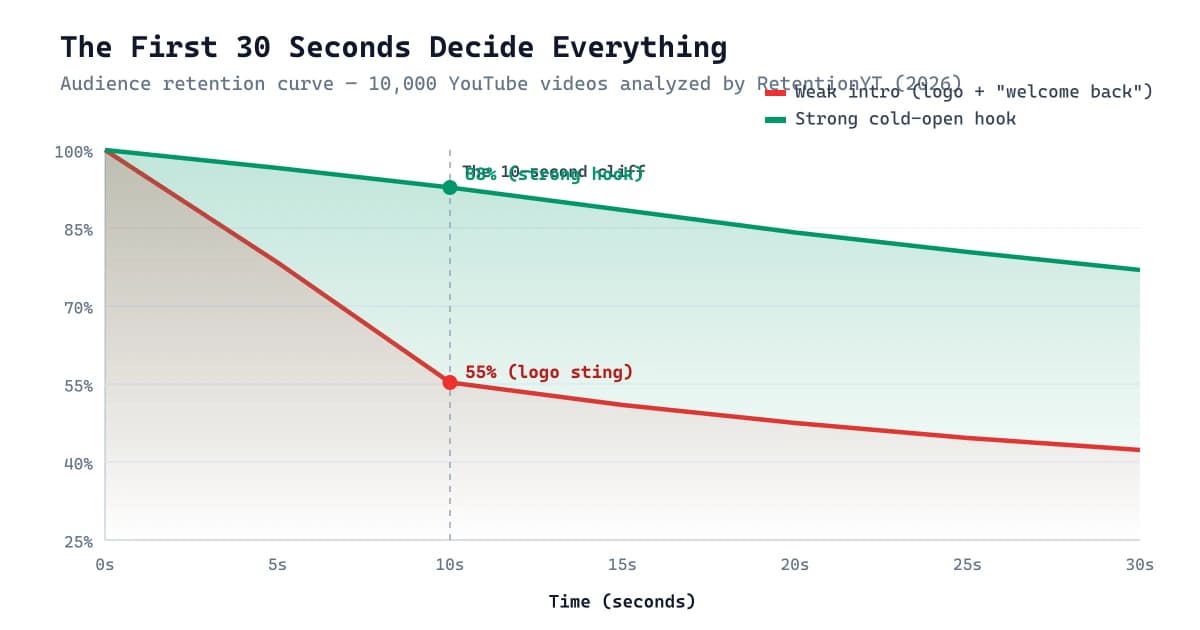
9 YouTube Intro Ideas That Don't Lose Viewers
Logo stings and 'welcome back' cost you viewers in the first 10 seconds. Here are 9 YouTube intro ideas — with scripts, retention data, and a proven hook framework — that keep them instead.