Binary Choice to Camera as a Pattern Interrupt
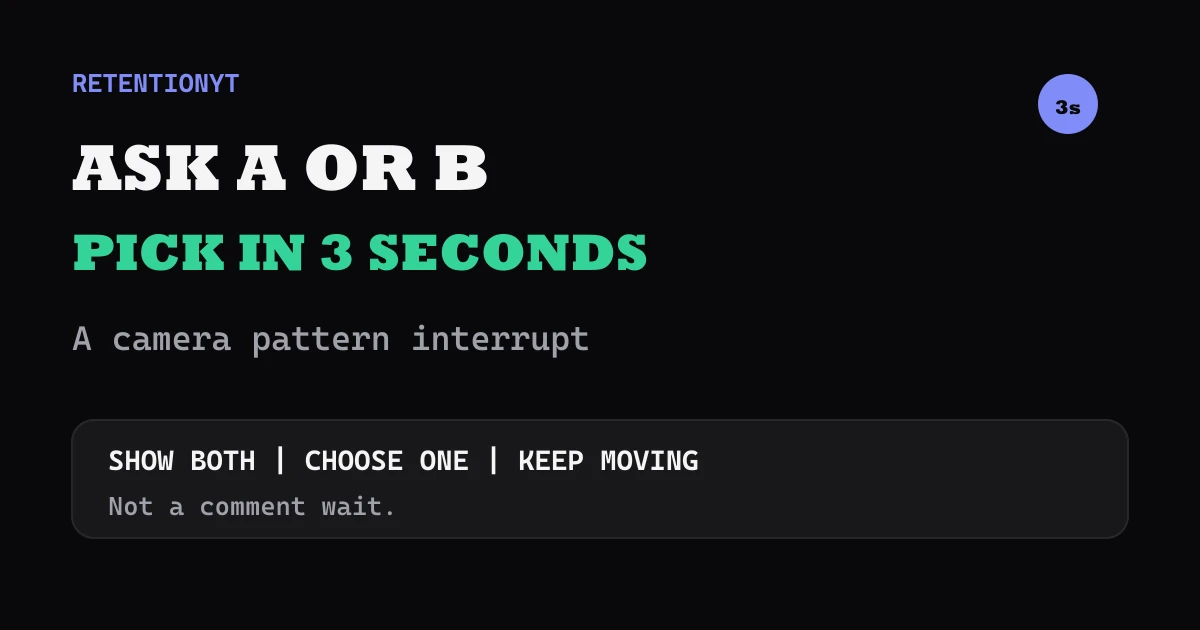
Use a three-second A or B question to reset a YouTube video: put both choices on screen, pick one on camera, and keep the comment prompt out of the critical beat.

9 min readUpdated
In this guide
Ask A or B, put both on screen, and answer in three seconds. That is the reset. “Tell me A or B in the comments and I’ll wait” is a pause; the choice is for the graph, while comments are extra. Name the choice, make the pick, and show what changes next.

What Binary Choice to Camera as a Pattern Interrupt actually is (and what it is not)
A binary choice to camera presents two real options, keeps both labels visible, chooses one, and continues with a reason. A pattern interrupt changes the information pattern to mark a new beat; here, the change is a decision the viewer can understand without leaving.
The method has four jobs: name the choice, show A and B together, pick one within three seconds, and pay off the pick with the next action. Make both options genuine enough that your decision teaches something.
It is not a poll or comment gate. “A or B? I’m picking B because it keeps the setup visible; watch this cut” gives the viewer a decision, reason, and next visual.
| Element | Your action | Failure mode to avoid |
|---|---|---|
| A and B | Show both choices together | Hiding one option until later |
| Three seconds | Pick one quickly | Waiting for comments |
| One reason | Explain the choice in one line | Listing five caveats |
| Next proof | Demonstrate or apply the pick | Returning to unrelated setup |
| Return beat | Rejoin the lesson | Starting a second intro |
These counters define the format, not a YouTube benchmark. Adjust timing when context is essential.
Where RetentionYT fits
Manual method works alone. Product shortens the loop. Use RetentionYT when you want a second pass on the wording, but you can write, time, and record this interrupt with a stopwatch.
Why this shows up in YouTube Studio
Your script decides when the reset happens; Studio helps you inspect it after upload. SOURCE 2 says the Content tab covers how audiences find, watch, and interact with content, and is available at channel level. SOURCE 2 (YouTube Help, August 2026).
The same source lists “Key moments for audience retention,” which shows how moments held attention; typical retention can compare 10 latest videos of similar length. This is not a guaranteed lift.
The locked Reach page documents Content, selected video, Analytics, then Reach, plus discovery and thumbnail-impression reports. It describes Reach rather than the brief’s named Audience retention page, so SOURCE 1 is used only for those facts and SOURCE 2 for audience-retention statements. SOURCE 1 (YouTube Help, August 2026).
Log the choice wording, answer time, date, and what happened after the pick.

The chart is a planning aid. Its guide marks are illustrative, not measured YouTube results. Ask whether the choice arrived before the lesson lost momentum and whether the next action made it worth following.
Worked example 1: the failure
Imagine a fictional tutorial about choosing a camera angle. No real channel, creator, or dataset is claimed. At the midpoint, the creator says: “Should I use the wide shot or the close-up? Let me know in the comments, and I’ll wait.” The frame stays unchanged while the lesson pauses.
The issue is outsourcing the next editorial decision while withholding the useful step. The pause feels separate from the lesson.
| Illustrative time | What appears | What the viewer still lacks |
|---|---|---|
| 0:00 | Same talking-head frame | A new visual beat |
| 0:01 | A or B is spoken, but labels are absent | The two options |
| 0:03 | Comment request begins | The creator’s decision |
| 0:08 | Viewer is told to wait | The next proof |
| 0:12 | Tutorial resumes | A reason to follow the choice |
These timings are illustrative, not measured YouTube data. The repair is to make the decision visible and creator-owned.

This does not prove that comments hurt a video or that every pause causes a drop; it shows a narrower script mismatch.
Worked example 2: the fix
Rewrite it: “Wide shot or close-up? I’m choosing close-up in three seconds because the hand position is the lesson. Watch the crop, then we’ll return to the wide frame.” Put “A — wide” and “B — close” on screen; remove the comment request.
The viewer gets a visible choice, quick answer, and reason tied to the next action. Ask for opinions after the beat.
Here are six tutorial applications. Each is a script prompt, not a universal claim.
- Screen recording or talking head? Pick screen recording when the next step is a click sequence; return to camera for the explanation.
- Shortcut or menu? Pick the shortcut, then show the menu path as a fallback for viewers who need the visible route.
- Template or blank page? Pick the template for speed, then identify the one field the viewer must customize.
- One long take or three clips? Pick three clips when the lesson depends on a before-and-after contrast; cut immediately to the first clip.
- Wide shot or close-up? Pick close-up when a hand position, control, or small detail carries the instruction.
- Fix the hook or fix the ending? Pick the bottleneck you can demonstrate next, then show the rewrite rather than debating both options.

Each example changes what the viewer sees next; it is an editorial decision.
How to check this in YouTube Studio (step by step)
First, write the reset before recording: A label, B label, question, pick, reason, and next proof. Keep labels short and write the answer time beside the line.
Second, record with both choices visible. Start the stopwatch when the question begins and stop when the decision is complete. If it runs long, cut adjectives and background rather than speaking faster.
Third, keep the choice inside the lesson’s promise. A camera-angle tutorial can choose an angle; it should not switch to an unrelated poll.
Fourth, open YouTube Studio and go to Analytics. SOURCE 2 documents Analytics then Content at channel level, with SEE MORE or ADVANCED MODE for expanded reports, comparisons, and exports.
Fifth, inspect the applicable video retention report. Record the date range and exact timestamp of the beat; do not rely on a screenshot without context.
Sixth, compare the reset with your prior structure. Record visibility, answer time, reason, and proof. If unclear, change one variable next time rather than claiming the format failed.
For a second wording pass, use the related tool. For further structures, compare the YouTube hook formulas and writing hooks that work. The manual method remains valid without signup.
The trap
The trap is outsourcing the decision: put “A or B?” on screen, ask for comments, and wait. That is a poll inserted into the lesson, not a reset that gives the current viewer the next useful beat.
The trap
The move

Avoid false symmetry: give the choices a real trade-off, such as speed versus control or wide context versus close detail.
A third trap is over-answering. “A or B?” plus a long explanation is not a three-second reset. Pick one reason and move on.
What to do in the next upload
Before recording, choose the mid-video moment that needs a reset: two tools, routes, shots, or editorial fixes. Write both labels, the three-second decision, one reason, and the next proof.
- Choose one genuine A or B decision from the lesson.
- Put both short labels on screen at the same time.
- Start the answer as soon as the question is complete.
- Pick one option within about three seconds.
- Give one reason tied to the next action.
- Demonstrate the choice before adding context.
- Keep the comment prompt outside the reset.
- Save the exact delivered wording and timestamp.
- Check the applicable Studio retention report after publishing.
- Compare the beat with one prior upload from your own channel.
- Change one variable on the next test.
Use this fill-in line: “A or B: [short label] or [short label]? I’m choosing [A or B] in three seconds because [one reason]. Watch [the proof], then we’ll return to [the lesson].” If it needs a paragraph of explanation, the choice is not ready.
Show both. Choose one. Keep moving.
A useful binary choice is small, visible, and creator-owned. It changes the information pattern, pays off with a demonstration, and gives you one timestamp to review in Studio.
Frequently asked questions
- Do A/B questions help retention?
- An A or B question can create a clear mid-video reset when both choices are visible and you answer quickly. Treat it as a practical script device, not a guaranteed performance lift. The viewer gets a concrete decision to follow, while your next sentence explains why you chose one option. Review the result in your own Studio reports.
- Should I wait for comments?
- No. Do not pause the video while viewers decide or ask for comments before you continue. Put both choices on screen, make your choice within about three seconds, and use the comment prompt later if it serves the discussion. The interrupt is for the current viewer's attention; comments are an optional follow-up action.
- How fast do I answer?
- Answer in roughly three seconds as a working rule for this format. Show A and B, say the decision, and give one reason before returning to the main thread. If your choices need more context, shorten the labels rather than stretching the pause. Test the delivered timing with a stopwatch before recording.
- Can this open a video?
- Yes, but a binary choice is strongest when the viewer already understands the decision. At the opening, pair A and B with the title promise; mid-video, use it to reset a specific question. Do not use the choice as decoration. The next line should reveal your pick and move directly into proof or explanation.
- What are some binary choice examples for tutorials?
- Try “screen recording or talking head,” “shortcut or menu,” “template or blank page,” “one long take or three clips,” “wide shot or close-up,” and “fix the hook or fix the ending.” Put both labels on screen, choose one in three seconds, and spend the next sentence showing the consequence of that choice.
- How do I apply “Binary Choice to Camera as a Pattern Interrupt” on my next upload?
- Find one point where your tutorial needs a reset, write two genuine options, and give each a short on-screen label. Record the question, choose one option within three seconds, and immediately show the next action. Save the exact timestamp and wording, then compare that moment with your own later Studio reports.
- Where in YouTube Studio do I check “Binary Choice to Camera as a Pattern Interrupt”?
- Open YouTube Studio, go to Analytics, and use the Content reports available at the channel level. For video-level checks, inspect the retention report your account exposes and note the exact date range. YouTube Help documents a Key moments for audience retention report and typical retention comparison for 10 latest videos of similar length.
- What is the most common mistake with “Binary Choice to Camera as a Pattern Interrupt”?
- The common mistake is turning the question into a comment request: “Tell me A or B, and I’ll wait.” That makes the viewer do work before the video gives value. Show both choices, choose one yourself within three seconds, and use the decision to demonstrate the next step. Keep the prompt, if any, outside the reset.
Give your next script a second look
Paste a script into RetentionYT for suggestions on your hook, pacing, and structure. Choose the edits that serve your video, then check audience behavior in YouTube Analytics after publishing.
Get retention tips in your inbox
Occasional, practical emails on hooks, pacing, and retention. No spam.
Related posts
The Credibility Stack: 12 Seconds of Trust Without a Bio
Build credibility in a YouTube intro without a bio: stack one proof artefact, one defensible number, and one short credential inside the first 12 seconds.
Documentary Cold Open: 20 Seconds of Scene Before the Thesis
Script a YouTube documentary cold open as a 20-second scene with a concrete object, then land the thesis before the viewer mistakes atmosphere for the story.
Faceless Channel Scripting: Audio Hooks When There's No Face
Faceless YouTube hook without a face: build the first 8 seconds from a voiceover result, a named object, and a first-frame graphic your viewer can read.