Chapter 1 Title as a Mini-Hook, Not 'Intro'
Replace a skippable YouTube chapter 1 label with a four-to-six-word promise, then use the timestamp and opening seconds to deliver what the viewer expects.

8 min readUpdated
In this guide
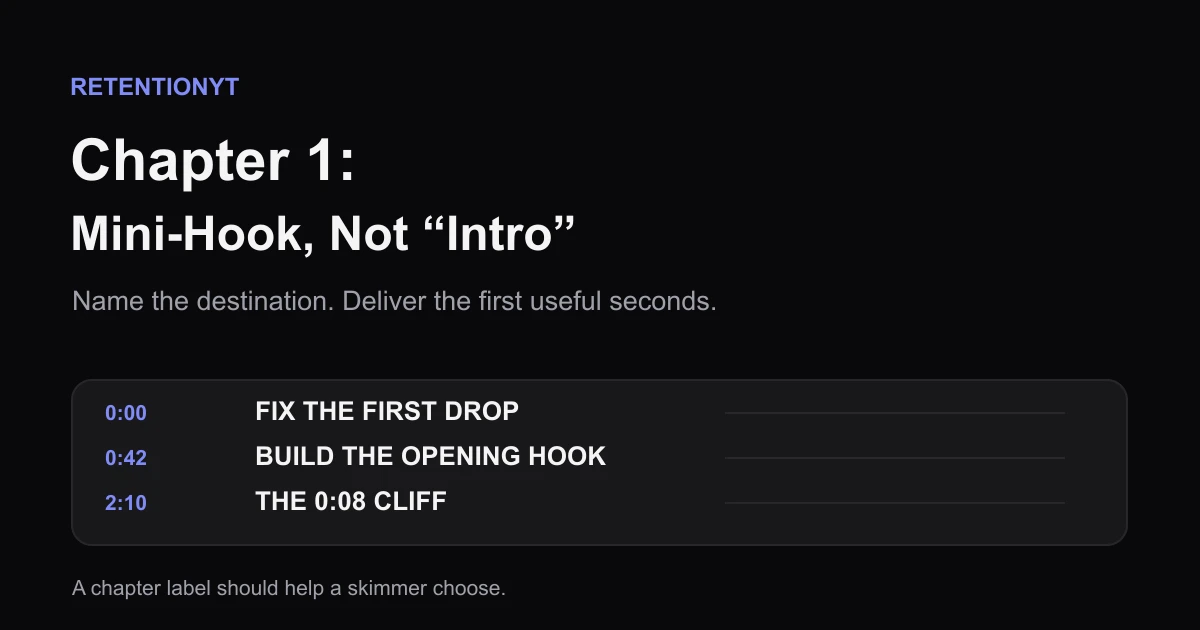
Do not label chapter 1 “Intro.” Give it the first promise in 4–6 words, such as “Fix the first drop.” A viewer who skips generic intros can still see a useful destination, then choose the chapter that matches the answer they want. Make the label, timestamp, and first spoken seconds agree before you publish.

What Chapter 1 Title as a Mini-Hook, Not 'Intro' actually is (and what it is not)
A chapter title is a short label attached to a timestamp. A mini-hook is a compact promise about that destination. “Intro” is a production label; “Fix the first drop” is viewer-facing.
Use 4–6 words as an editorial rule of thumb, not a YouTube limit. Keep the label scannable, concrete, and honest.
| Label type | What the viewer sees | What the chapter must deliver |
|---|---|---|
| Generic label | Intro | A greeting or setup, often with no clear destination |
| Promise label | Fix the first drop | A practical explanation or demonstration of the first drop |
| Specific label | The 0:08 cliff | The actual moment, problem, or example represented by that phrase |
Do not use a mini-hook to promise a different topic. If the edit changes, change the title with it.

The title is not a search-ranking guarantee, retention benchmark, or spoken-hook substitute. It is navigation copy that helps viewers choose.
Why this shows up in YouTube Studio
The current SOURCE 1 YouTube Help page, accessed August 2026 is titled Video Chapters. It says chapters split a video into sections with previews, add context, and help viewers rewatch parts. Its route is YouTube Studio, Content, video, then timestamps and titles in the Description.
SOURCE 1 requires 00:00 first, at least three ascending timestamps, and a 10-second minimum chapter. The 4–6-word rule is editorial, not a platform requirement.
The current SOURCE 2 YouTube Help page, accessed August 2026 is titled Understand your YouTube video reach. It describes Reach metrics including impressions, CTR, views, unique viewers, average view duration, and watch time, with a Studio > Content > video > Analytics > Reach route. It does not contain the brief’s expected retention graph or typical-line guidance.
After publication, inspect your available Studio reports; there is no named “mini-hook” metric. Before publishing, read the chapter list as a skimmer: can a viewer tell what chapter 1 is for?
For the script underneath the labels, read How to Script a YouTube Video That Keeps Viewers Watching. For a timed outline, use YouTube Script Outline Template. If you want a pre-record review, try the YouTube Script Review Tool.
Worked example 1: the failure
Imagine an illustrative 8-minute tutorial beginning with “0:00 Intro.” Its first 28 seconds contain a greeting, logo, and delayed promise. A skimmer sees setup, not a useful destination.
| Illustrative check | Before | Why it fails |
|---|---|---|
| Chapter 1 title | 0:00 Intro | Names the production phase, not the viewer’s destination |
| Spoken opening | Greeting + logo + delayed promise | The first useful point is harder to find |
| Chapter list | 0:00, 0:42, 2:10 | The first label does not help a skimmer choose |
The timestamps and 28-second setup are illustrative, not YouTube data. The failure is the disconnect: “Intro” tells a viewer nothing about what they get, and the first useful seconds arrive late.

Worked example 2: the fix
Rename chapter 1 “Fix the first drop.” Move the first useful sentence into the opening and make the next chapter title match its destination. Now the list offers a problem, not a production phase.
The fix does not promise a better graph. It aligns title, timestamp, chapter label, and spoken opening. If the chapter teaches something else, name that instead. Accuracy beats drama.
Write the title after the first cut. Recheck it after removing sections, moving the payoff, adding the first timestamp, and before saving.
How to check this in YouTube Studio (step by step)
- Open the first 30 seconds of your edit and write the first useful promise in plain language.
- Draft three candidate chapter titles, each 4–6 words. Reject any title that names your workflow instead of the viewer’s destination.
- Choose the title that the first chapter actually delivers. Keep the exact words visible in the chapter list and the opening script.
- In YouTube Studio, open Content, choose the video, and add timestamps and titles in the Description. This route is from SOURCE 1.
- Start the first timestamp at 00:00. Add at least three timestamps in ascending order, and keep each chapter at least 10 seconds.
- Read the finished list without the video. If “Intro” is the only label that fits, the promise is probably still too vague.
- After publishing, open YouTube Studio and use the analytics reports available to your account. SOURCE 2’s current page is Reach, not the brief-labelled retention page.
- Change one variable on the next upload: rename the chapter, move the first useful sentence, or shorten the setup. Do not claim the label alone caused a graph change.

Manual method works alone. An optional RetentionYT script pass can review the opening; the chapter-title check needs no account.
The trap
The trap is renaming without delivering: “The Secret Method” replaces “Intro,” but 25 seconds still go to greetings. The new label is exciting and inaccurate.
A second trap is making a promise the timestamp cannot keep. “Fix the first drop” should not lead to a definition five minutes later. Put first proof in the chapter.

The trap
The move
Do not use colour alone. Write BAD and GOOD, keep the timestamp visible, and make the title testable.
What to do in the next upload
Before saving the description, write the first useful promise. Turn it into a 4–6-word title, then check that the first spoken seconds deliver it. Keep “Intro” in private notes, not the public list.
Keep alternate titles parked. If the cut changes, compare the active title with the first useful moment and replace it when the promise drifts.
- I wrote the first useful promise before naming the chapter.
- Chapter 1 uses a 4–6-word working title.
- The title names a viewer destination, not a production phase.
- The first timestamp starts at 00:00.
- I listed at least three timestamps in ascending order.
- Each chapter is at least 10 seconds.
- The first useful seconds deliver the chapter promise.
- I read the chapter list without the video.
- I labelled illustrative times as planning examples.
- I will change one variable in the next upload.
Where RetentionYT fits
Manual method works alone. Product shortens the review loop. RetentionYT is optional support for a pre-record script pass; it does not replace your chapter list or the analytics view available in your account.
Name the destination, then deliver the first useful seconds.
Frequently asked questions
- Should the first chapter be called Intro?
- No. ‘Intro’ describes a section, but it does not tell the viewer what they will get. Use a short promise such as ‘Fix the first drop’ or ‘The 0:08 cliff.’ YouTube’s chapter feature lets viewers navigate by timestamps and titles, so the title should make the destination useful before the viewer decides whether to skip.
- What should chapter 1 be named?
- Name chapter 1 after the first useful promise, not the production label. Aim for four to six words: ‘Fix the first drop,’ ‘Build the opening hook,’ or ‘The 0:08 cliff.’ The best name is concrete, accurate, and easy to scan beside a timestamp. Avoid hype that the chapter cannot deliver.
- Do people skip intros?
- Some viewers skip through chapters when they want a specific answer, so a generic ‘Intro’ can become an easy skip target. Do not claim that every viewer skips it or that a new label guarantees retention. The practical move is to make the first chapter’s destination clear so a skipper lands on value instead of skipping away.
- Will a better name help search?
- A clearer chapter title can help a viewer understand the destination, but it is not a promise of higher search rankings. YouTube’s chapter guidance describes sections, previews, and navigation; it does not say that replacing ‘Intro’ is an SEO ranking factor. Treat the title as a navigation and expectation tool, then test your own analytics.
- How short is a chapter title?
- For this worksheet, keep the title to four to six words. That is an editorial rule of thumb, not a YouTube limit. The title must fit beside its timestamp, name the promise, and remain accurate when the viewer jumps there. If you need a long explanation, put it in the chapter’s spoken opening, not the label.
- How do I apply “Chapter 1 Title as a Mini-Hook, Not 'Intro'” on my next upload?
- On your next upload, write the first 8–30 seconds, then replace ‘Intro’ with the clearest four-to-six-word promise that the section actually delivers. Put the first timestamp at 00:00, list at least three timestamps in ascending order, and keep each chapter at least 10 seconds. Read the list as a skimmer before saving.
- Where in YouTube Studio do I check “Chapter 1 Title as a Mini-Hook, Not 'Intro'”?
- You do not check this phrase as a named Studio metric. To edit chapters, use the current SOURCE 1 route: sign in to YouTube Studio, choose Content, open the video, and add timestamp titles in the Description. After publishing, review the analytics labels available to your account; SOURCE 2 currently describes Reach, not a retention-specific chapter report.
- What is the most common mistake with “Chapter 1 Title as a Mini-Hook, Not 'Intro'”?
- The most common mistake is renaming ‘Intro’ without changing the promise. A label such as ‘The secret method’ still fails if the first chapter spends 30 seconds on greetings and disclaimers. Name the first useful destination, open with that promise, and make the chapter’s words, visuals, and timestamp agree.
Give your next script a second look
Paste a script into RetentionYT for suggestions on your hook, pacing, and structure. Choose the edits that serve your video, then check audience behavior in YouTube Analytics after publishing.
Get retention tips in your inbox
Occasional, practical emails on hooks, pacing, and retention. No spam.
Related posts
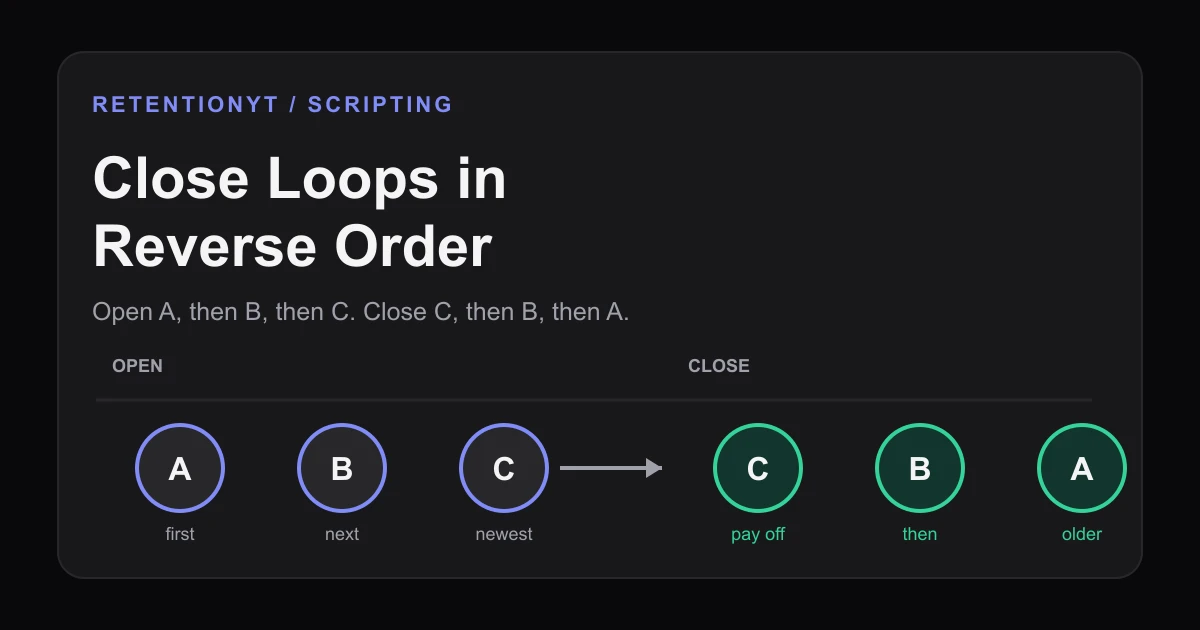
Close Loops in Reverse Order
Learn the order to close open loops in a YouTube script: pay off the last tease first, with timestamps, examples, and a Studio check for creators.
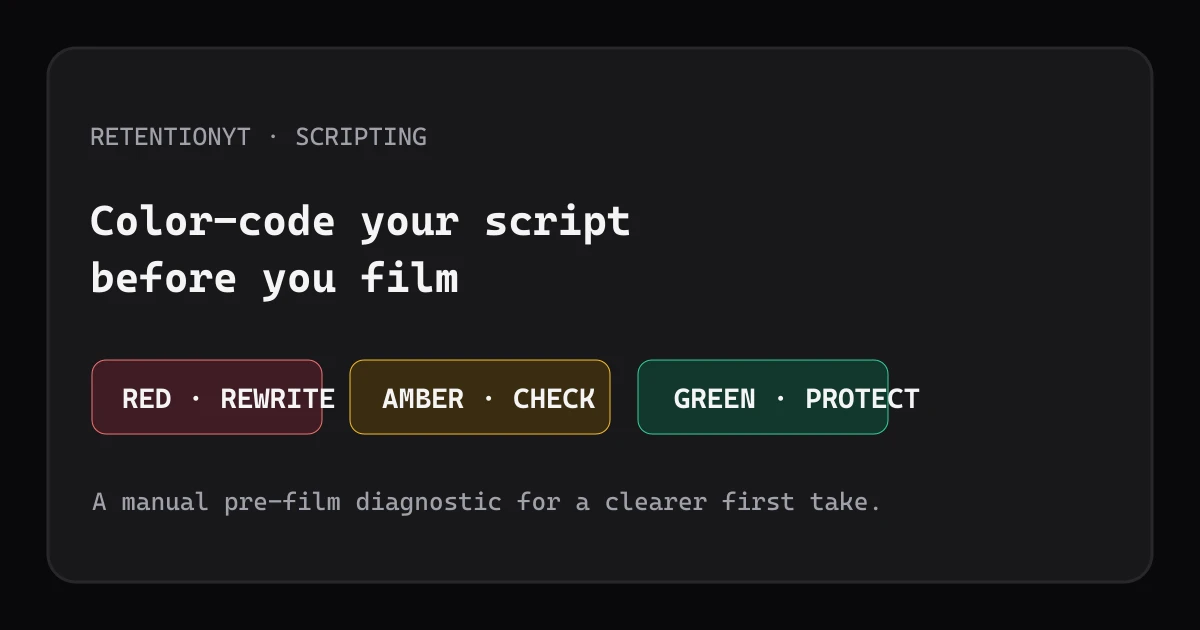
Color-Code a Script by Retention Risk Before You Film
Use a three-color script audit to catch weak opening promises, delayed payoffs, and vague lines before filming your next YouTube video upload.
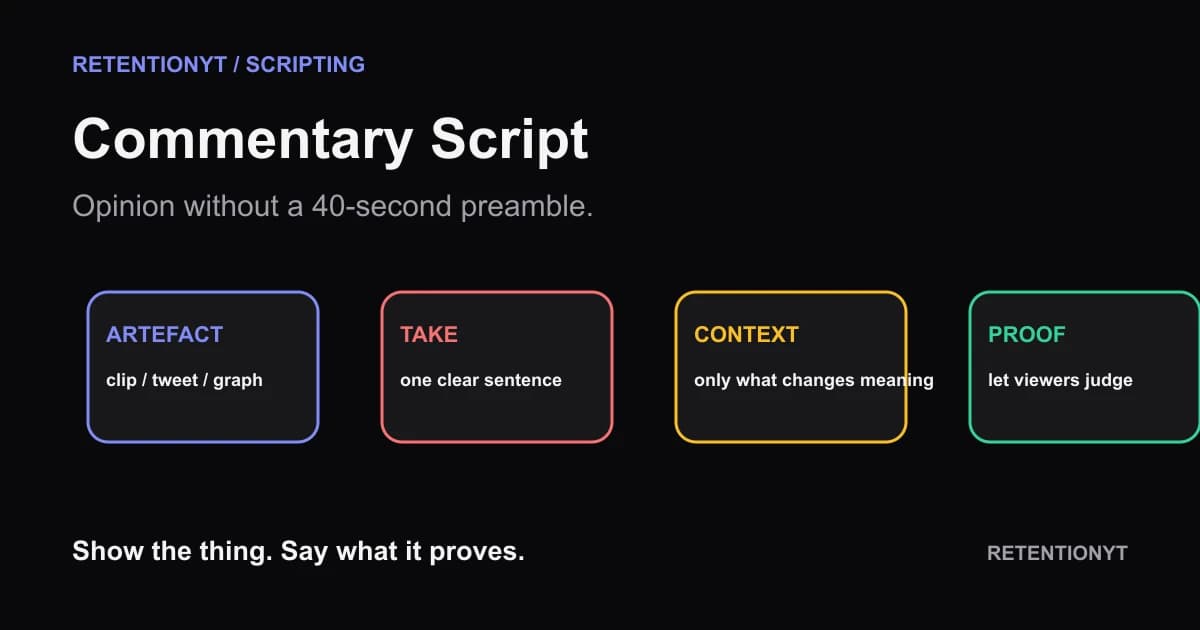
Commentary Script: Opinion Without a 40-Second Preamble
Build a YouTube commentary video script start around the clip, tweet, or graph—not your biography. Put the artefact and one-sentence take on screen, then earn the context.