YouTube Script Outline Template: A Timed, Copy-Paste Framework for Retention
A free YouTube script outline template with timecodes, word-count budgets, and purpose notes for every section — so you fix pacing and structure on paper, before you hit record.

12 min read
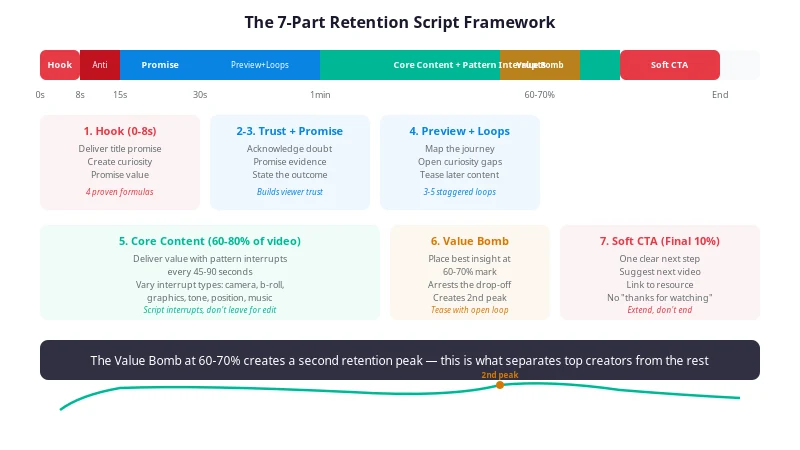
Most retention problems are decided before the camera turns on — in the outline, or the lack of one. When you jump straight into writing full sentences, three things happen predictably: the intro gets over-built because it's the first thing you write, the middle runs out of planned material and starts improvising, and the ending gets rushed because you're tired. The retention graph then shows all three — a cliff at the start, a slow bleed through the middle, a premature exit at the end.
A timed outline fixes this in ten minutes. You map every section to a target timecode and a word budget, decide upfront where the payoff and the mid-video re-hook land, and spot the pacing problems on paper, where they cost nothing to fix. This guide gives you the process, the template to copy, and the mistakes to avoid.
Why you should outline before you script
The outline is the only place where structure changes are free. Once footage exists, fixing a buried payoff means re-recording. Once the video is published, fixing it means explaining to a retention graph what you already could have seen in a ten-line document.
Outlining before scripting solves four problems that are almost impossible to solve later:
- Pacing imbalance. Word budgets per section expose the six-minute "context" section before you've written a word of it. Time is allocated, not discovered.
- A buried payoff. The outline forces an explicit answer to "at what minute does the title's promise get delivered?" If the answer is "minute nine of ten," you see it immediately.
- A dead middle. When you have to write a line for the 50–65% stretch of the video, you notice it's empty — and you plan a re-hook instead of hoping one appears while editing.
- Scope creep. Sections that don't serve the title promise get cut at outline stage, in seconds, instead of surviving into the edit because you already filmed them.
None of this requires talent or experience. It requires the sequence to be right: budget first, sections second, sentences last. A full scripting process — where the outline sits in the workflow, how to write the sections themselves — is covered in How to Script a YouTube Video That Keeps Viewers Watching; this post stays on the outline layer.
What a retention-first outline must contain
A useful outline is not a list of topics. Every section needs four attributes: a name, a timecode, a word budget, and a purpose note — the single job that section does. If a section has no job, it has no line in the outline.
| Section | Job | Share of runtime | If it's missing |
|---|---|---|---|
| Hook | Confirm the title promise in the first sentence | First 5–15 seconds | Opening cliff; viewers leave before content starts |
| Promise + roadmap | Restate the value, then preview the route | Next 20–30 seconds | Viewers can't tell if the video is for them |
| Core sections | Deliver the substance in named chunks | Roughly 30–70% | Slow bleed; no forward motion |
| Mid-video re-hook | Reset attention at the 50–65% mark | 10–20 seconds | The mid-video slump goes unplanned |
| Payoff | Deliver the title's core promise | Around the middle | Payoff lands late or never |
| Bonus for stayers | Reward viewers who reached the deep end | Final act | Ending leaks; no reason to finish |
| Outro + CTA | One action, then end screen | Last 30–45 seconds | Premature outro drop as viewers sense the ending |
Two of these deserve emphasis, because they're the two most commonly skipped lines in amateur outlines.
The mid-video re-hook is a section, not an accident. The middle third of a video is where retention predictably sags — the opening novelty has faded and the payoff hasn't arrived yet. Planning an explicit re-hook (a new angle, a bigger tease, a location or format change) at the 50–65% mark is the cheapest defense. The mechanics of what to put there are covered in The Mid-Video Slump: How to Keep Viewers Watching the Middle.
The payoff belongs around the middle, not the end. A video that saves its core promise for the final minute forces viewers to sit through setup they haven't been sold on. Deliver the promise at roughly the halfway point, then use the back half to deepen it. The outline is where you make that decision consciously instead of by fatigue.
The template (copy and paste)
Here is the outline template, filled in for a 10-minute talking-head video. Copy it, change the timecodes and budgets to match your format, and delete any line that doesn't apply.
VIDEO: [working title]
RUNTIME TARGET: 10:00 | WORD BUDGET: ~1,400 (140 wpm) | MEASURED RATE: [yours]

1. HOOK — 0:00–0:15 (~35 words)
   Job: confirm the title promise in the first sentence. No greeting,
   no logo, no context. Draft 2–3 candidates; pick one at read-through.

2. PROMISE + ROADMAP — 0:15–0:45 (~70 words)
   Job: restate the value more specifically than the title, then preview
   the route ("three things: X, Y, then the one that surprised me").
   Plant open loop #1 here if the payoff needs withholding.

3. SECTION 1 — 0:45–3:00 (~300 words)
   Name: [must be specific enough to be a chapter title]
   Job: [the one thing this section establishes]
   Visual note: [first pattern interrupt, e.g. cut to screen share]

4. SECTION 2 — 3:00–4:45 (~230 words)
   Name: [...]
   Job: [deliver half the payoff or the prerequisite for it]
   Visual note: [...]

5. MID-VIDEO RE-HOOK — 4:45–5:00 (~35 words)
   Job: reset attention. New angle, bigger tease, or format change.
   Close open loop #1 only if opening #2.

6. SECTION 3 / PAYOFF — 5:00–7:00 (~280 words)
   Name: [...]
   Job: deliver the title's core promise HERE, on camera, completely.
   Pace note: slow down. This is the part people came for.

7. BONUS FOR STAYERS — 7:00–8:30 (~200 words)
   Job: the thing you couldn't fit in the title — extra tip, failure
   story, or the counter-example. Earns the final stretch.

8. OUTRO + CTA — 8:30–9:30 (~140 words)
   Job: one-sentence takeaway, ONE call to action, point at end screen.
   End screen lead-out — 9:30–10:00 (~50 words, keep talking).

TOTAL: ~1,290 words spoken + pauses/music ≈ 10:00
CHECK: hook has a title noun in sentence one? payoff at ~50%?
       re-hook planned? every line has a job?
Three properties make this template work, and they matter more than the specific timecodes:
- Budgets are in words, not minutes. "Section 2 is three minutes" means nothing while writing; "Section 2 is 230 words" is enforceable. When the draft runs to 400 words, you know immediately.
- Every section has a Job line. This is the anti-filler mechanism. If you can't state the job in one sentence, the section is a topic, not a section — cut it or merge it.
- The totals are checked. Add the budgets. If they exceed your runtime budget at your speaking rate, something must shrink before you write a single sentence of script. For the math behind the numbers, including how to measure your own rate, see YouTube Script Pacing: The Words-Per-Minute Rule for Retention.
Converting runtime to a word budget
The template above assumes roughly 140 spoken words per minute. The full method — including why that number is an average and not a constant — is in the pacing guide; the short version for outlining is:
| Runtime | At 130 wpm | At 140 wpm | At 150 wpm |
|---|---|---|---|
| 5 minutes | 650 words | 700 words | 750 words |
| 8 minutes | 1,040 words | 1,120 words | 1,200 words |
| 10 minutes | 1,300 words | 1,400 words | 1,500 words |
| 12 minutes | 1,560 words | 1,680 words | 1,800 words |
| 15 minutes | 1,950 words | 2,100 words | 2,250 words |
Subtract 10–20% from any budget for videos with demonstrations, b-roll sequences, or music beds — stretches where nobody speaks. A 10-minute video with a two-minute demo has about 1,100–1,250 spoken words in it, not 1,400.
Adapting the template to your format
The skeleton holds across formats; the proportions change.
| Format | What changes |
|---|---|
| Talking-head essay (8–12 min) | Use the template as-is; keep section 3 and the payoff separate |
| Tutorial with demo | Shrink spoken budgets 10–20%; add "wait for on-screen action" notes; the demo IS a pattern interrupt |
| Deep dive / mini-doc (15–25 min) | Add a Section 4; re-hooks every 3–4 minutes instead of one; consider a cold-open structure |
| Vlog / story video | Merge roadmap into the hook; the "sections" become story beats; keep the bonus-for-stayers line |
| Short (under 60s) | Three lines only: first second, payoff, loop restart — see Should You Script YouTube Shorts? |
Rule of thumb
If changing formats changes your outline by more than the timecodes, the outline was too detailed. The section jobs — confirm, promise, deliver, reset, reward, close — are universal. Only the clocks move.
Common outline mistakes
- The topic list. "Intro, gear, settings, wrap-up" has no timecodes, no budgets, no jobs. It will produce a script whose middle is twice as long as planned.
- Budgeting at reading speed. Silent reading runs around 200–250 words per minute. Scripts written to that rhythm feel rushed and lifeless when spoken. Always budget at spoken pace.
- The outline that's actually a script. Once full sentences appear, you've stopped planning and started writing — and structural changes now feel like rewrites. Keep outline lines under fifteen words.
- No re-hook line. The single most common omission. The middle of the video is then left to luck.
- Payoff scheduled last. Reserving the promise for the final act guarantees a back half of unpaid setup.
- Never revisited. An outline is a budget, and budgets get checked. When the script section blows past its word count, trim it or move the timecode — consciously, on the outline, not silently in the edit.
Pre-record checklist
Run the outline through this before writing the script:
- Every line has a timecode, a word budget, and a one-line job
- The hook's first sentence contains a noun from the title
- The title's core promise is scheduled at roughly the 50% mark, not the end
- A mid-video re-hook sits somewhere in the 50–65% stretch
- Section budgets sum to the runtime budget at your measured speaking rate
- Demo, b-roll, or music stretches had 10–20% removed from their sections
- A bonus for stayers exists in the final act
- The outro is one takeaway, one CTA, under 45 seconds
Frequently asked questions
What's the difference between a YouTube script outline and a full script?
An outline is a timed skeleton: every section gets a timecode, a word budget, and a one-line purpose, but not finished sentences. A full script is word-for-word dialogue. Outline first, then write full prose only for the sections that need it — usually the hook and the outro — and use bullet points everywhere you plan to improvise.
How long should a YouTube script outline be?
One screen. If your outline needs scrolling, it has become a script. Aim for 8–12 lines for a 10-minute video: one line per section, each with a timecode, a word budget, and a one-sentence purpose note. Anything longer belongs in the script phase.
Where should the main payoff go in a YouTube script?
Around the middle, not the end. If the title's core promise only resolves in the final minutes, the middle of the video has nothing to deliver and viewers drift during the mid-video slump. Deliver the main payoff at roughly the halfway mark, then spend the back half extending, complicating, or applying it — saving only a bonus for viewers who stay.
Do I need an outline for YouTube Shorts?
Yes, but compressed to three lines: the first second (what the viewer sees and hears before they can swipe), the payoff (the reason the loop is worth watching twice), and the ending (where the loop restarts cleanly). At around 150 spoken words for a 60-second Short, a full outline would take longer than the script.
Check the outline before it becomes footage
An outline is a hypothesis about retention, written before any evidence exists. RetentionYT tests that hypothesis on the script itself, before you record: it checks whether the first 90 seconds actually deliver the title promise, maps the pacing timeline against your section budgets, and returns a readiness verdict — Record Now, Fix These First, or Rewrite Needed — along with a 0–100 retention-readiness score. The free tier runs two audits a month at up to 5,000 words, which is enough to pressure-test an outline-heavy script before your next two uploads. Scores are structural estimates of how a script is built, not YouTube Analytics data — the graph still has the final say after publish.
Continue reading in Scripting
- YouTube Script Pacing: The Words-Per-Minute Rule for Retention
- How to Script a Talking-Head Video (Without Sounding Robotic)
- How to Script a YouTube Video That Keeps Viewers Watching
- 5 Storytelling Frameworks That Make YouTube Scripts Addictive
Further reading (external authority references): YouTube's official Help Center on audience retention in YouTube Analytics — the data your outline is betting against; YouTube's own notes on how recommendations work; and the Creator Insider channel for YouTube team guidance on retention and structure.
Frequently asked questions
- What's the difference between a YouTube script outline and a full script?
- An outline is a timed skeleton: every section gets a timecode, a word budget, and a one-line purpose, but not finished sentences. A full script is word-for-word dialogue. Outline first, then write full prose only for the sections that need it — usually the hook and the outro — and use bullet points everywhere you plan to improvise.
- How long should a YouTube script outline be?
- One screen. If your outline needs scrolling, it has become a script. Aim for 8–12 lines for a 10-minute video: one line per section, each with a timecode, a word budget, and a one-sentence purpose note. Anything longer belongs in the script phase.
- Where should the main payoff go in a YouTube script?
- Around the middle, not the end. If the title's core promise only resolves in the final minutes, the middle of the video has nothing to deliver and viewers drift during the mid-video slump. Deliver the main payoff at roughly the halfway mark, then spend the back half extending, complicating, or applying it — saving only a bonus for viewers who stay.
- Do I need an outline for YouTube Shorts?
- Yes, but compressed to three lines: the first second (what the viewer sees and hears before they can swipe), the payoff (the reason the loop is worth watching twice), and the ending (where the loop restarts cleanly). At around 150 spoken words for a 60-second Short, a full outline would take longer than the script.
Find your video’s drop-off points before you publish
RetentionYT audits your script for the moments viewers leave — so you can fix them before recording.
Get retention tips in your inbox
Occasional, practical emails on hooks, pacing, and retention. No spam.
Related posts
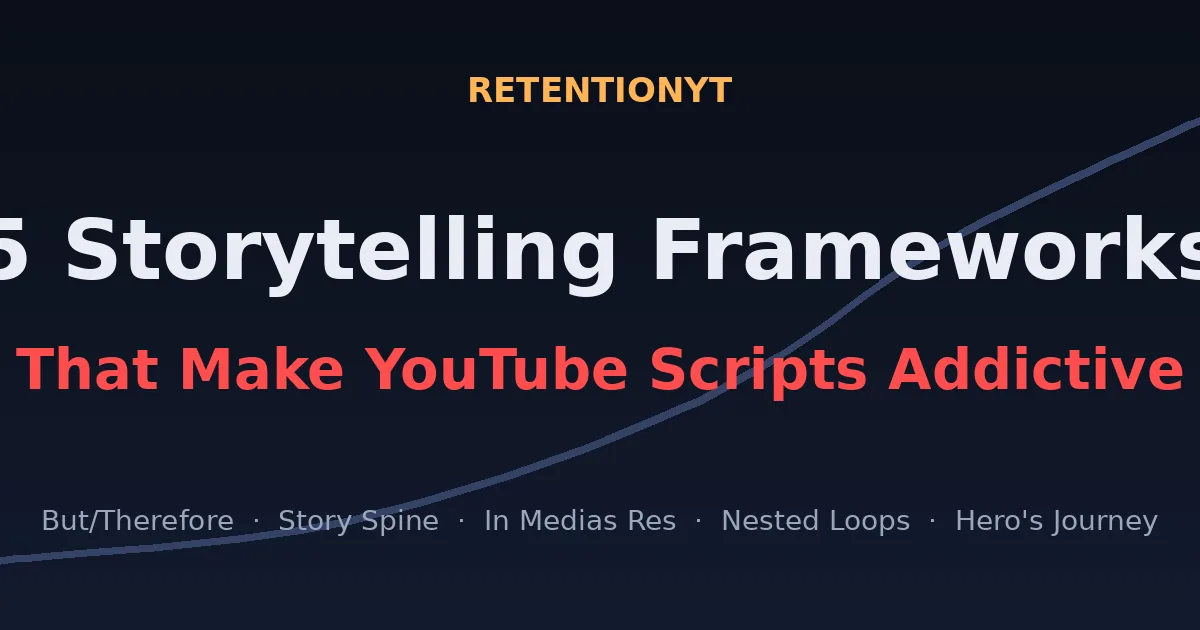
5 Storytelling Frameworks That Make YouTube Scripts Addictive
Learn 5 storytelling frameworks — But/Therefore, the Story Spine, In Medias Res, Nested Loops, and the Hero's Journey — that turn any YouTube script into a retention machine. Templates, examples, and a full checklist.
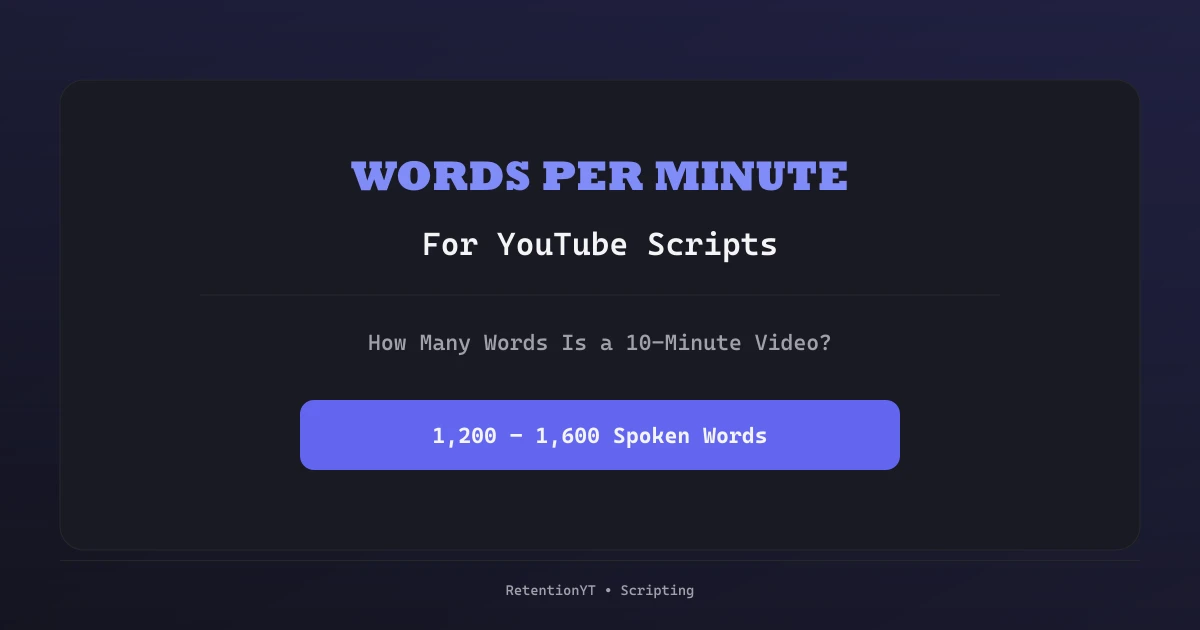
Words Per Minute for YouTube Scripts: How Many Words Is a 10-Minute Video?
Turn a target video length into a word budget before you draft: measure your own speaking rate, subtract the non-speaking minutes, and split the remaining words across the script.
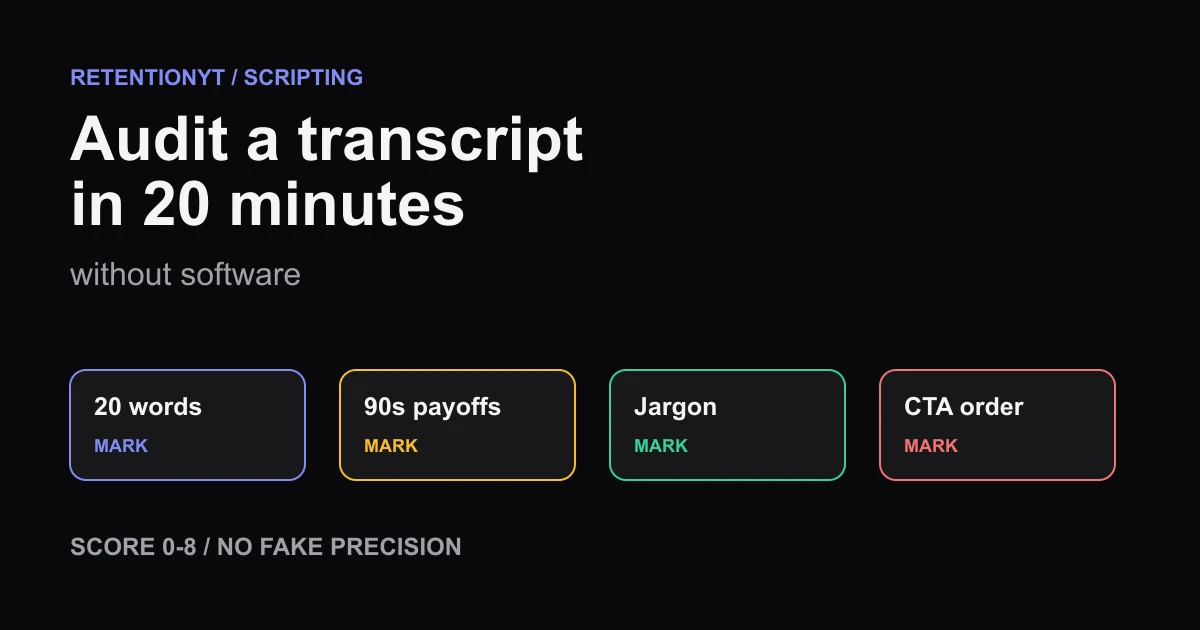
How to Audit a Transcript in 20 Minutes Without Software
Audit a YouTube transcript by hand in 20 minutes: check the first 20 words, mark 90-second payoffs, define jargon, score 0-8, and order your CTA.