First 8 Seconds, First 30, First 2 Minutes: Three Different Rewrites
YouTube first 8 seconds vs first 30 seconds vs 2 minutes: use three rewrites to fix the promise, proof, and first payoff instead of one vague intro edit.

13 min readUpdated
In this guide
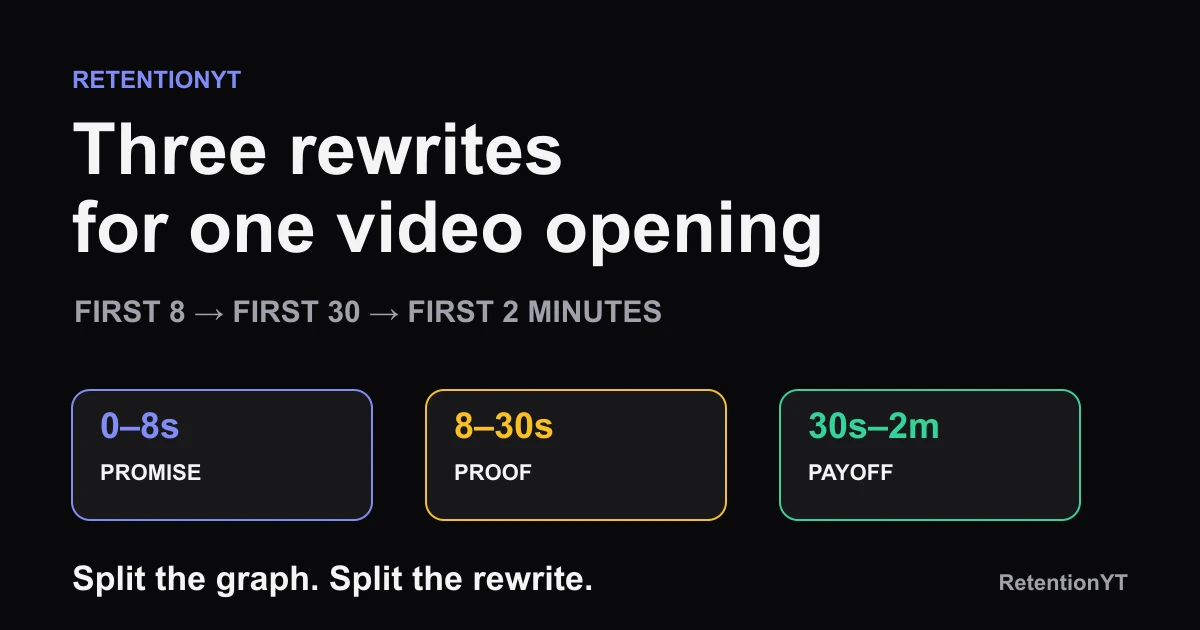
Use three rewrites, not one: the first 8 seconds sell the click you already got, the first 30 seconds prove the promise was honest, and the first 2 minutes deliver a payoff or rehook. Those are practical editing windows, not published YouTube benchmarks. Split the graph, split the rewrite, and stop calling every early drop an intro problem.

What First 8 Seconds, First 30, First 2 Minutes actually is (and what it is not)
This framework is a way to assign a job to the opening of a long-form video. It is not a secret YouTube setting, a universal retention target, or a claim that every video must hit a payoff at exactly 2:00. Use the timestamps as a diagnostic grid over your own graph, then let the actual shape of the line tell you where the script loses its contract with the viewer.
The first window is the promise and novelty window. In the first 8 seconds, the viewer should understand what they clicked for and see a reason this version is worth staying with. That reason can be a specific result, a surprising comparison, a live action, or a question with a clear cost to ignoring it. Do not spend this window on your greeting, channel history, or a cinematic logo.
The second window is the proof window. From roughly 8 to 30 seconds, your job is to make the opening claim credible without explaining the entire mechanism. Show the relevant object, put the before-and-after on screen, state the constraint, or preview the test you will run. If you promise a three-step fix and then spend twenty seconds describing your morning, the first window worked and the second one failed.
The third window is the first payoff or rehook window. Between 0:30 and 2:00, give the viewer a useful result, a visible change, or a new question that grows naturally from what you just proved. A rehook is a fresh reason to continue after the first mini-payoff; it is not a louder version of the original hook. If your format genuinely needs more setup, keep the setup active and make its purpose visible.
| Window | Job | What to write | What not to call it |
|---|---|---|---|
| 0:00–0:08 | Promise and novelty | A concrete outcome, object, contrast, or question | A universal YouTube benchmark |
| 0:08–0:30 | Proof | Evidence that the opening was honest | A second unrelated hook |
| 0:30–2:00 | First payoff or rehook | A useful result, demonstration, or next reason to stay | A guarantee that every format must pay off at 2:00 |
You can use the manual method without signing up for anything; the graph in your own Studio account remains the evidence for what happened on a published upload. A YouTube script analyzer can shorten the pre-record pass.
Where RetentionYT fits
Manual method works alone. Product shortens the loop. Use RetentionYT if you want the product to help surface script risks before you record.
The useful question is not whether your intro is good. It is which job the viewer stopped receiving.
— RetentionYT editorial team
Why this shows up in YouTube Studio
YouTube separates several kinds of information inside Analytics, so your workflow should not pretend the opening has only one measurement. In August 2026, SOURCE 2 says the Content tab gives a channel-level overview of how viewers find, watch, and interact with content. On a computer, its documented path is YouTube Studio, Analytics, then Content. The page also lists a Videos report called Key moments for audience retention, which shows how different moments held viewers' attention and lets you compare typical retention with your 10 latest videos of similar length.
The report shows the shape of the early viewing experience, but it does not label your graph first 8, first 30, or first 2 minutes. Those are editorial labels: use the report to locate the moment and the script to explain what the viewer was asked to do.
As of August 2026, the locked SOURCE 1 URL opens a page titled Understand your YouTube video reach, not the brief's labelled Audience retention page. That page documents a different path: Content, the selected video, Analytics, then Reach. It also explains that the Reach tab provides a snapshot of metrics such as click-through rate, watch time, and views. The source conflict is recorded in the handoff; no unsupported audience-retention wording is attributed to that URL.

SOURCE 2 also notes that views are counted when a video starts to play across formats beginning August 24, 2026. A view shows that playback began; the retention report helps you inspect what happened afterward.
Open the graph with one question at a time. If the curve falls before 8 seconds, test the promise, first frame, and novelty. If it holds through 8 seconds but drops before 30, test proof, pacing, and the handoff from hook to explanation. If it survives 30 but falls before 2 minutes, test the first payoff, the amount of setup, and whether the next section earns its place.
Worked example 1: the failure
Use one fictional video idea so the diagnosis stays clean: a creator shows how to cut a ten-minute talking-head video into a tighter edit. The original opening says, “Hey everyone, welcome back. Today I want to talk about my editing process, because I have been experimenting with a few changes lately. First I want to explain the project, then I will show you what I changed.” The topic is relevant, but the viewer has not yet received a specific reason to wait.
The script names the video-making process instead of the viewer's expected result. The promise is vague, the novelty is missing, and the next step is more explanation: a first-8 failure.
The next 30 seconds become background on folders and settings. No before-and-after appears, and the actual comparison arrives at 2:18. The viewer has had no proof by 0:30 and no payoff by 2:00, even if the final edit is excellent.
| Checkpoint | Illustrative observation | Diagnosis | Rewrite owner |
|---|---|---|---|
| 0:08 | Illustrative: the viewer has heard a greeting and topic, but no concrete outcome | Promise and novelty are weak | First sentence and first frame |
| 0:30 | Illustrative: no before-and-after or visible constraint | The click has not been proved | Proof beat and pacing |
| 2:00 | Illustrative: the promised comparison has not appeared | No first payoff or rehook | First section order |
The table is illustrative. It is not a dataset, channel average, or claim about YouTube's thresholds. The useful move is to map the failure to the script: the first line owns the first window, the proof beat owns the second, and the first demonstration owns the third.
Do not fix this by adding energy everywhere. Faster delivery cannot substitute for a missing promise. More cuts can make the background section harder to follow. First name the window, then remove or move the sentences that are asking the viewer to wait without paying them back.
Worked example 2: the fix
Keep the same video idea and rewrite it as one continuous promise with three deliberate handoffs. The first 8 seconds can be: “This ten-minute talking-head edit has 42 seconds of dead air. I will cut it without making the speaker sound rushed, then show the exact before-and-after.” The sentence gives the viewer an object, a constraint, and a visible result to anticipate.
The next 22 seconds should prove that this is not a claim floating above the video. Show the uncut timeline, play the dead-air section, and place the shortened version beside it. Say what will not change: the speaker's meaning stays intact. That is proof, not a second introduction.
Before 2:00, deliver the first small payoff. Make the first cut on screen, play the result, and explain the one decision that preserved the speaker's rhythm. Then rehook with the next problem: “The silence was easy; the repeated explanation is where this edit usually starts sounding robotic.” The rehook grows from the proof and opens the next section.

The evidence moved earlier, the constraint became visible, and the viewer received a payoff sooner. Read the opening without timestamps: the first sentence should name the subject, and the proof beat should be showable. For related process guidance, see YouTube hook formulas and how to write hooks that work.
How to check this in YouTube Studio (step by step)
Before opening Analytics, write down the title, length, publish date, and exact promise made by the thumbnail and opening. Do not present a private viewing threshold as a YouTube rule; inspect your own curve.
- Open YouTube Studio and select the video you want to inspect.
- Choose Analytics for that selected video. SOURCE 2 documents the channel-level Content route as Analytics, then Content; SOURCE 1 documents the selected-video Reach route as Content, the video, Analytics, then Reach. Those are different reports, so do not describe one as the other.
- In the video analytics view, open the audience-retention or key-moments report available for that video. SOURCE 2 says Key moments for audience retention shows how different moments held viewers' attention and offers typical retention against the 10 latest videos of similar length.
- Hover or inspect the graph at 0:08, 0:30, and 2:00. These checkpoints are your editorial test points, not labels supplied by YouTube.
- At each checkpoint, write the spoken sentence, the visual action, and the viewer's expected reward. If you cannot describe the reward in one line, that window probably contains setup without a clear job.
- Compare the actual shape with the intended script. A fall at 0:08 asks for a promise rewrite; a fall between 0:08 and 0:30 asks for proof; a fall before 2:00 asks for an earlier payoff, tighter setup, or a more honest rehook.
- Compare similar videos on your own channel or use the typical-retention comparison described by SOURCE 2; a different topic, length, or traffic mix is not a clean control.
- Record one change for the next upload. The review is for changing the sentence or sequence that owns the failing window.

If the interface differs, use the report name and evidence it exposes rather than inventing a menu label. SOURCE 1 notes that some Reach reports may not be available on mobile devices.
The trap
The trap is rewriting the word intro as if it were one indivisible unit. That produces a familiar loop: the creator sharpens the first line, adds a faster montage, and then leaves the same slow explanation between 8 and 30 seconds. The opening looks more exciting in a preview, but the viewer still has not received proof.
Do not borrow someone else's percentages. The curve is illustrative, not a benchmark. Ask whether the line changes shape where your script changes jobs, and make the first payoff create a real reason for the next section.
The trap
The move

The manual method still works: mark the checkpoints, replay each script section, and write a replacement. A tool can shorten the loop, but you still decide whether the promise was honest and the payoff belongs earlier.
What to do in the next upload
Before you record, write the three jobs beside the script. Keep the same video idea across all three so the test isolates structure instead of changing the topic. Put a time marker beside each line, then record the proof and first payoff as deliberately as you record the hook.
- Write the first-8 promise as one concrete sentence with a visible subject or result.
- Add one novelty cue: a contrast, object, action, or question that belongs to this video.
- Choose the proof beat that can be shown before 0:30, not merely explained.
- Remove greetings, channel history, and production commentary from the proof window.
- Place a useful first payoff before 2:00, or state the active reason for a slower build.
- Add a rehook only when it grows from the payoff and names the next question.
- Open the relevant Studio report and mark 0:08, 0:30, and 2:00 after publishing.
- Write the exact sentence and visual action at the largest drop, then change that window next time.
- Compare against similar videos on your own channel, not an invented universal score.
- Keep the manual review as the control even if you use an analyzer.
After the upload, ask which promise the viewer stopped receiving: rewrite the click contract if 8 seconds fail, move proof closer if 30 seconds fail, and pay off the opening or strengthen the next question if 2 minutes fail.
References
Frequently asked questions
- How long should a YouTube intro be?
- There is no single intro length that works for every video. Treat the opening as three jobs: make the promise and novelty clear in the first 8 seconds, prove the click was honest by 30 seconds, then reach a first payoff or rehook by 2 minutes. Use your retention graph to find which job is failing.
- Is the hook the first 8 or the first 30?
- The hook is the first promise, usually in the first 8 seconds. The first 30 seconds are the proof layer: the viewer should see that the title and opening claim were not bait. Calling both windows the hook makes it harder to diagnose the actual drop.
- What should happen by 2 minutes?
- By 2 minutes, aim to have delivered a first useful payoff or introduced a fresh rehook that earns the next section. That is a practical editing rule, not a YouTube benchmark. If your video needs a slower build, use your graph and the promise of the video to decide where the first payoff belongs.
- Why did I still drop after a good hook?
- A strong first 8 seconds can win attention and still be followed by a slow explanation, a delayed demonstration, or a promise that is never proved. Compare the early curve with the later moments. If the line falls after the hook, rewrite the proof and payoff windows rather than polishing the first sentence again.
- Should Shorts use the same windows?
- Do not copy the same clock onto Shorts and long-form videos. YouTube reports Shorts engagement using whether viewers stayed past the initial seconds, while long-form videos expose key moments for audience retention. Use the format's own report and treat 8, 30, and 120 seconds as a long-form planning lens.
- How do I apply “First 8 Seconds, First 30, First 2 Minutes” on my next upload?
- Write one sentence for each window before you record: the promise and novelty, the proof, and the first payoff or rehook. Mark the intended seconds in your script, record the three transitions cleanly, then inspect the retention graph after publishing. Change only the window that shows the clearest problem.
- Where in YouTube Studio do I check “First 8 Seconds, First 30, First 2 Minutes”?
- For a video, open YouTube Studio, choose Analytics, and look for the Content view and the key moments for audience retention report. YouTube Help says that report shows how different moments held attention and can compare typical retention with your 10 latest videos of similar length.
- What is the most common mistake with “First 8 Seconds, First 30, First 2 Minutes”?
- The common mistake is treating the whole opening as one blob. Creators keep rewriting the hook when the real problem is an unproved promise at 20 seconds or no payoff by the next section. Name the failing window first, then change the script that owns that job.
Give your next script a second look
Paste a script into RetentionYT for suggestions on your hook, pacing, and structure. Choose the edits that serve your video, then check audience behavior in YouTube Analytics after publishing.
Get retention tips in your inbox
Occasional, practical emails on hooks, pacing, and retention. No spam.
Related posts
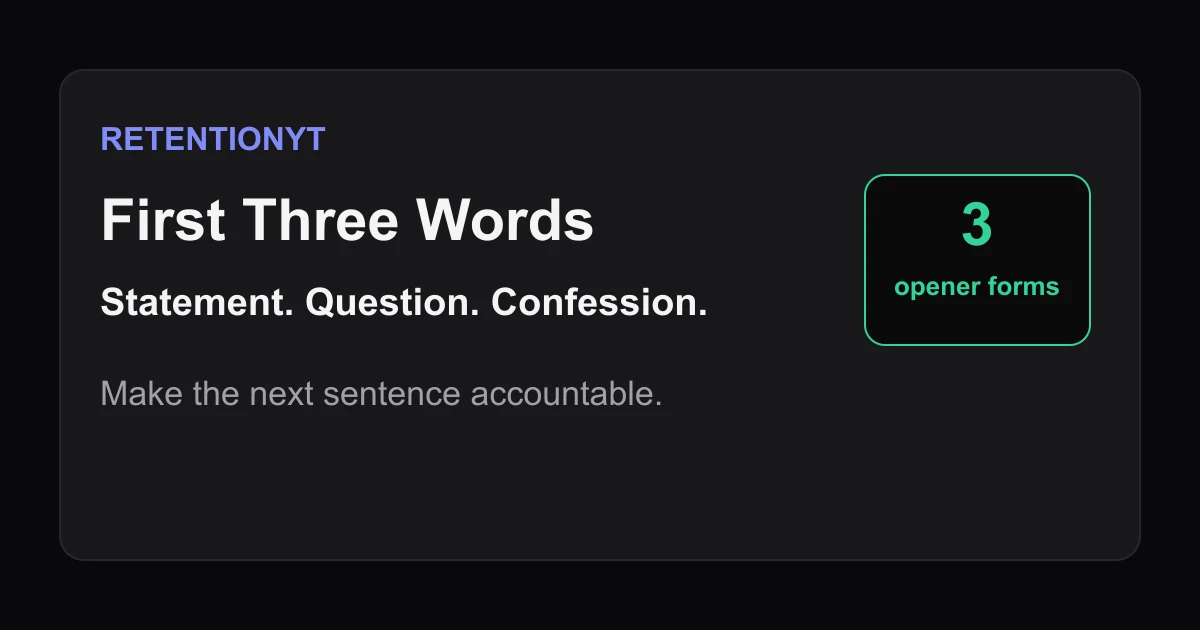
First Three Words: Statement vs Question vs Confession
Choose the right YouTube hook first three words: compare a statement, question, and confession, then test the opener against your title and first visual.
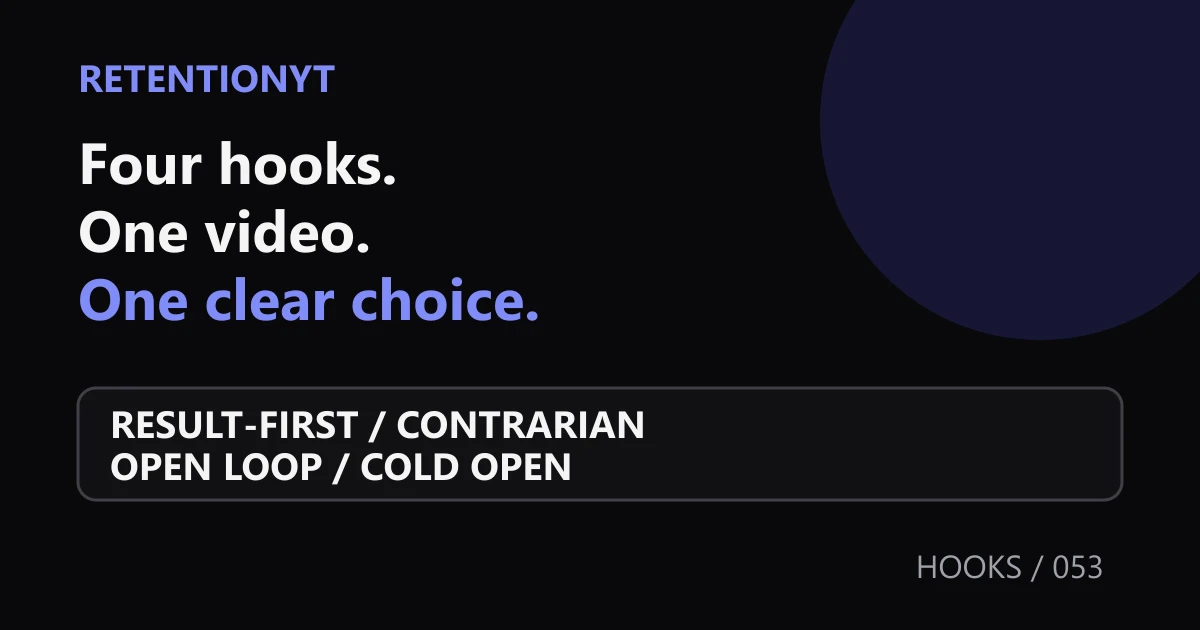
Hook Variation Matrix: Result-First x Contrarian x Open Loop x Cold Open
Test four YouTube hook formulas on the same video idea with one variation matrix. Learn the 3-take test, choose a winner, and read your own retention evidence.
'In This Video' as Retention Poison (and What to Say Instead)
The don't say in this video YouTube hook problem: lead with proof, then orient viewers with eight replacements that keep your first 8 seconds moving.