Pin Comment as a Second Hook
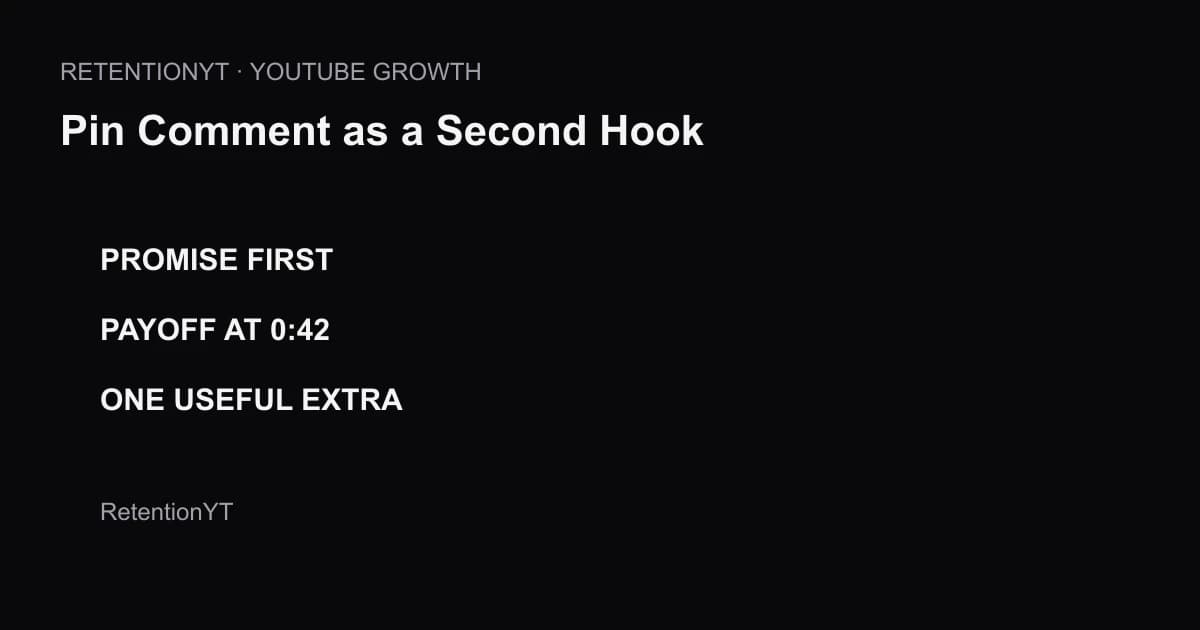
Use a YouTube pinned comment as a second hook: restate the promise, point to the first payoff timestamp, and add one useful extra in every upload.

9 min readUpdated
In this guide
A pinned comment can do more than say thanks. Use it as a second hook: restate the promise, point to the first payoff at 0:42, and add one useful extra. Write it before you publish, then verify the timestamp after the final edit.
What Pin Comment as a Second Hook actually is (and what it is not)
A second hook is a short comment that helps the viewer decide what to do next. It repeats the video value, points to the first payoff, and adds one useful detail. It supports the spoken opening; it does not replace it.
Put the promise first, the payoff timestamp next, and the extra last. The extra can be a warning, detail, question, or test result that makes the comment worth saving.
Do not use the pin as a thank-you note, a list of links, or a repeated subscribe beg. “Thanks for watching—subscribe” asks for your outcome before reminding the viewer why the video was worth watching. Your pin should make the next useful beat easier to find.
A pinned comment stays at the top of the video’s comment section. The second-hook job is to reinforce the promise after the viewer enters the page.

Why this shows up in YouTube Studio
Write the pin before you inspect performance; Studio is where you review the finished upload. Source 1 currently opens as “Understand your YouTube video reach” and documents Reach metrics such as click-through rate, watch time, and views, plus the Content > selected video > Analytics > Reach path. Read the YouTube Help Reach page.
Source 2 says the Content tab is channel-level and covers how viewers find, watch, and interact with content. It describes views, average view duration, impressions, and CTR, but does not prove that a pin caused a retention change. See the YouTube content-performance guide.
The locked sources show no native metric named “Pin Comment as a Second Hook.” Review the upload, pin version, payoff timestamp, and next test; keep the conclusion narrower than the data.

Worked example 1: the failure
Suppose your video promises a three-step lighting setup. The pinned comment says: “Thanks for watching! Subscribe for more tips.” It contains gratitude and a request, but not the promised setup, the first payoff, or a route for someone who opened the comments while the intro is still playing.
The failure is that the comment spends its visible surface on the creator’s next ask. A viewer who wants the setup still has to infer where value begins.
The numbers below are illustrative planning numbers, not YouTube data. They show how to audit the comment’s job, not how viewers behave on every channel.
| Pin line | What it does | Problem | Rewrite job |
|---|---|---|---|
| Thanks for watching | Closes the interaction | No promise | Restate the viewer outcome |
| Subscribe for more | Asks for a future action | No immediate value | Add only after value is clear |
| No timestamp | Gives no route | Viewer must search | Name the first payoff time |
| No extra | Adds no reason to save | Comment is disposable | Add one useful fact |
Rewrite it as: “Build a clean three-light setup in 10 minutes. First payoff at 0:42: the key light stops the wall from washing out. Extra: move the fill light before you raise ISO.” That version works even before the viewer finishes the spoken intro because it repeats the promise and points to a concrete payoff.

Worked example 2: the fix
The fixed pin uses three compact lines: “Three lights, cleaner background. First payoff at 0:42: the wall stops washing out. Extra: set the fill before touching ISO.” The promise arrives first, the timestamp is specific, and the extra gives the viewer a reason to continue reading.
Add a question only if it supports the video: “Which light is causing your biggest problem?” If you include a subscribe ask, place it after useful information and make the reason specific.
Check the timestamp in the final edit. If the first payoff moved to 0:51, change the pin before you share the upload. A stale timestamp is worse than no timestamp because it creates a promise the viewer cannot verify.
Draft six templates: promise plus timestamp; promise plus extra; promise plus question; promise plus timestamp plus warning; promise plus timestamp plus comparison; and promise plus timestamp plus a soft return reason.
| Version | Promise | First payoff | Extra | Status |
|---|---|---|---|---|
| Failure | Missing | Missing | None | Illustrative failure |
| Fixed | Three-light setup | 0:42 | Fill before ISO | Illustrative fix |
| Test | Same promise | 0:51 after edit | Updated warning | Illustrative check |
The table is illustrative. It is a production worksheet, not a report from YouTube or a measured benchmark.

How to check this in YouTube Studio (step by step)
First, write the video promise in one sentence. “I spent two days testing lights” is background; “make the background cleaner with three lights” is a promise.
Second, find the first payoff. The payoff is the first moment where the viewer receives a concrete part of the promised value. Mark its timestamp in the edit. Do not choose a round number because it looks tidy.
Third, draft six versions. Keep the promise and timestamp stable while testing a warning, comparison, question, mistake, tool choice, or next step. Delete “thanks for watching” unless it has a job.
Fourth, publish or schedule the video, pin the chosen comment, and reopen the final edit. Confirm that the timestamp still lands on the promised payoff. The manual method works without signing up to RetentionYT.
Fifth, sign in to YouTube Studio and use the relevant Analytics reports for the finished upload. Source 1 documents Reach reports; Source 2 documents channel-level Content reporting. Neither locked page supports a native pin-hook score, so do not invent one.
For a faster pre-publish review, use the YouTube retention tool once. Compare the draft with watch time versus retention and CTA placement. RetentionYT can shorten the review loop, but the manual promise-payoff-extra method still works by itself.
Where RetentionYT fits

The trap
The first trap is assuming a visible comment gets free attention. Use its first words to answer the question implied by the title and thumbnail.
The second trap is burying the timestamp. Put the first payoff near the top and keep the extra genuinely extra.
The third trap is claiming that a pin improved retention because a graph changed afterward. The sources support Studio reports, not universal pin causality. Call it a test and record what changed.
The trap
The move
A pinned comment should help the viewer decide what to watch next, not remind them that you want a subscription.
What to do in the next upload
Write the pin while the promise is still fresh. Keep a copy in the production notes, verify the timestamp after the edit, and choose one extra that helps the viewer rather than filling space.
- Write the viewer promise before writing the pin.
- Put the promise in the first line.
- Find the first concrete payoff in the edit.
- Add the real payoff timestamp.
- Choose one extra fact, warning, question, or comparison.
- Draft six versions before choosing one.
- Remove generic “thanks for watching” language.
- Keep a subscribe ask after useful information, if it belongs at all.
- Recheck the timestamp after the final cut.
- Review Studio evidence without claiming the pin caused every change.
The pin has a clear job. Make it repeat the promise, route the first payoff, and add one extra reason to stay. Then test the wording honestly instead of treating a comment as a proven algorithm lever.
Frequently asked questions
- What should I pin on a YouTube video?
- Pin a comment that restates the video promise, points to the first payoff timestamp, and adds one useful extra. Treat the text as a second hook for viewers who open comments early, not as a place to repeat “thanks for watching” or ask for a subscription before delivering value.
- Does a pinned comment help retention?
- A pinned comment is an editorial aid, not a guaranteed retention lever. It can orient someone who reads comments while the intro plays, but the locked YouTube Help pages do not establish that pins improve retention. Use it to reinforce the promise and test the result against your own Analytics evidence.
- Should I pin a subscribe ask?
- Usually not as the first line. Lead with the promise and the first payoff, then add a subscribe invitation only when it follows a clear reason to return. A pin that begins with a generic subscribe request spends the most visible comment space on your goal instead of the viewer’s next useful beat.
- Can I put timestamps in the pin?
- Yes, you can write a timestamp in the pin as an editorial navigation cue. Use the real time where the first payoff begins, check it after the edit, and update the comment if the cut changes. Do not present a timestamp as a YouTube retention benchmark.
- Do people read pins during the intro?
- The supplied brief frames this as the reason to use a second hook, but the locked YouTube Help sources do not verify how many people read comments during an intro. Treat it as a testable audience hypothesis: write the pin, observe your own performance context, and avoid claiming a universal reading rate.
- How do I apply “Pin Comment as a Second Hook” on my next upload?
- Write the pin before publishing. Put the promise in line one, the first payoff timestamp in line two, and one extra fact or question in line three. Remove generic gratitude and keep the wording useful even if a viewer sees it before the spoken hook has finished.
- Where in YouTube Studio do I check “Pin Comment as a Second Hook”?
- There is no native Studio report named “Pin Comment as a Second Hook.” YouTube Help documents Analytics areas for reach and content performance; use those reports to review the finished upload, while the pin itself is managed in the video’s comment area. Do not invent a dedicated metric or path.
- What is the most common mistake with “Pin Comment as a Second Hook”?
- The common mistake is treating the pin as a thank-you note or subscription billboard. A second hook should repeat the viewer-facing promise, point to the first payoff, and add one extra that earns the comment’s attention. Check the timestamp after publishing and remove claims your sources cannot support.
Give your next script a second look
Paste a script into RetentionYT for suggestions on your hook, pacing, and structure. Choose the edits that serve your video, then check audience behavior in YouTube Analytics after publishing.
Get retention tips in your inbox
Occasional, practical emails on hooks, pacing, and retention. No spam.
Related posts
Playlist Watch-Next: Write the Handoff Sentence
Write a YouTube playlist next-video handoff that names the exact title, matches your end screen, and gives viewers a clear reason to continue watching.
Qualified Views, Engaged Views, Public Views: Three 2026 Definitions
YouTube qualified views vs engaged views 2026: separate the new public counter from the engaged and qualified metrics you use for retention and YPP decisions.
Host-Read Sponsor at Minute 2 vs 6 vs After Payoff
Compare a YouTube sponsor read at minute 2, minute 6, or after a payoff. Use your retention graph to protect the loop instead of trusting a fixed placement rule.