Search Traffic Is Patient, Suggested Is Not
Learn why YouTube search vs suggested retention can look different, how to split the curve in Studio, and how to rewrite the hook for the impatient source.

9 min readUpdated
In this guide
As a working rule of thumb, search viewers may arrive with a question already loaded while suggested viewers are still choosing. If 40% of your views are suggested, treat that as a rule-of-thumb test threshold, not a YouTube benchmark: your hook has to win the impatient source even when the title was written for search.

What Search Traffic Is Patient, Suggested Is Not actually is (and what it is not)
A traffic source is where a viewer found your video. For this workflow, the useful split is search versus suggested: one viewer may arrive after entering a query, while another may meet the same upload beside other recommendations. That is a working editorial model for reading your opening, not a claim that every viewer in either source behaves identically.
“Patient” and “not” are shorthand for editing pressure. They do not mean search viewers will tolerate any slow intro or that suggested viewers leave at a fixed second. They tell you to inspect the entry context before you choose the fix.
| Entry context | What your opening must do first | Useful editing question |
|---|---|---|
| Search | Confirm the query and move toward the answer | Is the first sentence the answer path or just a preface? |
| Suggested | Earn the click again beside competing choices | Would the first frame and promise make sense without the query? |
| Pure curriculum exception | Preserve necessary teaching sequence | Does the setup teach a prerequisite, or merely announce the lesson? |
A pure curriculum channel may need sequence, definition, or safety setup before the exercise. Keep required teaching, compress announcements, and test the opening against the sources you actually receive.
Why this shows up in YouTube Studio
You need the source label before you interpret the line. The locked Reach page says its traffic-source report shows how viewers found content within YouTube and external sources, and its steps point from YouTube Studio to Content, the selected video, Analytics, and Reach YouTube Help, August 2026. That page also names search terms and suggested videos as reporting contexts.
The locked content-performance guidance says the Content tab gives an overview of how your audience finds, watches, and interacts with content. For Videos, its key-moments report shows how different moments held viewers’ attention, while typical retention compares the 10 latest videos of similar length YouTube Help, August 2026.
Look for two source labels, not one impressive percentage. If Studio does not expose the split, record the limitation and keep your conclusion at the overall level.
Where RetentionYT fits
Manual method works alone. Product shortens the loop. Use RetentionYT only as an optional review aid; keep the actual Studio evidence in your notes.
Worked example 1: the failure
Imagine a search title that promises “how to fix a noisy microphone.” The video opens with a long welcome, a channel ident, and a general explanation of audio before naming the fix. Search viewers who came for the query have to wait; suggested viewers see a slow first frame with no reason to choose this upload over the next one.
The values below are illustrative, not YouTube data. They show why a blended line can hide the question.
| Timestamp | Illustrative blended level | Edit state | Diagnostic question |
|---|---|---|---|
| 0:00 | 100% | Welcome begins | Does the viewer know the payoff? |
| 0:04 | 78% | Setup continues | Is the query still unanswered? |
| 0:08 | 64% | First useful claim arrives | Did suggested viewers get a choice reason? |
| 0:30 | 52% | Tutorial starts | Which source paid the setup cost? |
| 1:00 | 46% | First fix is demonstrated | Could the proof have arrived earlier? |
Caption for the example: Illustrative failure shape — not a published benchmark. These percentages are a teaching model only. Your evidence is the actual report and edit timeline from your own upload.
The mistake is not “search titles are bad for suggested.” The mistake is assuming the title removes the need for a fast visual and spoken promise. A search query can tell you what problem to answer; it does not guarantee that a suggested viewer will understand the value before choosing another thumbnail.
Note the first sentence, first visual, and source label you can inspect. Without a split, do not write a source-specific conclusion such as “suggested viewers reject this intro at 0:04.”
Worked example 2: the fix
Keep the subject, title, and useful method. Replace the preface with a cold-open promise: “The hiss is coming from this one gain setting; change it before you touch the plugin.” Then show the setting. The sentence is a rule-of-thumb example, not a guaranteed script. It makes the search answer visible and gives a suggested viewer a concrete reason to continue.
Add context after proof. Explain why the setting matters, show the before-and-after audio, and then introduce the channel if that introduction serves the viewer. If brand or curriculum rules require a longer setup, identify the required seconds and cut only the announcement around them.
A clean test changes the opening order, not the entire video. Hold title and thumbnail steady where possible, and record the source mix, promise timestamp, proof timestamp, and first curve change.

How to check this in YouTube Studio (step by step)
Use one real upload and write down what you can actually access. The goal is not to find a magical patience score; it is to separate the entry context before you edit.
- Open YouTube Studio and sign in to the channel that owns the upload.
- Choose Content, select the video, and open Analytics.
- Check the Reach or Content views available to your account. Look for traffic-source context and the audience-retention or key-moments report.
- Record whether search, suggested, browse, or another source is visible. Use the source names shown in your account.
- Mark the first spoken promise, first proof, and first visible bend in the curve. Record seconds, not “early.”
- If a source split is available, compare the search and suggested shapes for the same upload. Do not compare different videos and call the result a source effect.
- If no split is available, keep the conclusion at the overall level and write “source-specific view unavailable” in the test note.
- Rewrite one opening sentence for the next upload, label any sample percentages illustrative, and check the next report.
This manual method works without signing up. The RetentionYT workflow can sit beside the manual check, and the Viewer Retention Checker can shorten a pre-record review, while How to Read Your YouTube Retention Graph and Why YouTube Viewers Leave in the First 30 Seconds provide related reading. None replaces the source labels and curve you can verify in your own account.

The trap
The trap is averaging away the signal. You see one curve, call the opening “fine for search,” and miss that suggested viewers met the same video without the query that helped you write the title.
If you are 90% search, treat that as channel context, not a universal exemption. Keep the query clear and test one suggested-ready opening; preserve required curriculum sequence.

The trap
The move

The common reporting error is an unsupported explanation attached to a low number. If the filter is missing, say so; if numbers are illustrative, label them near the values and in the caption.
What to do in the next upload
Choose one upload where the title is search-led but suggested traffic is meaningful enough to inspect. Freeze the question: does a faster payoff help the entry context that does not arrive with a query?
- Open the actual video in Studio before rewriting.
- Record the traffic-source labels your account exposes.
- Mark the first promise and first proof in seconds.
- Keep the title and thumbnail aligned with the first sentence.
- Write a cold-open version that reaches the useful point quickly.
- Preserve required curriculum or safety setup.
- Change the opening before changing the whole video.
- Label every sample percentage as illustrative unless it is measured in your report.
- Compare the next curve with the edit timestamps written down.
- If the split is unavailable, record that limitation instead of guessing.
Your goal is not to make every viewer behave the same. Your goal is to stop letting a blended average answer a source-specific question. Search can inform the promise. Suggested can pressure-test whether the promise makes sense without the query. Read the evidence you have, write down what you do not have, and let the next upload answer the narrow question.
Remember: query clear, hook fast, source split before verdict.
Frequently asked questions
- Why is search retention higher than suggested?
- Search viewers may arrive with a specific question already in mind, while suggested viewers are choosing among nearby options. That is a working explanation, not a universal platform rule. Split the traffic-source curves when Studio makes the view available, then compare the opening promise and first visual instead of assuming one source is always more patient.
- Should search videos have slower intros?
- No. A search viewer may accept a short definition, but a slow preface can still postpone the answer they came for. Start with the result or the exact problem, then add context. Treat pacing as a testable editing choice and check whether your source-split curve changes after the next upload.
- How do I see retention by traffic source?
- Open the video's Analytics in YouTube Studio and look for traffic-source or audience-retention views that your account makes available. The public Help pages confirm Reach and Content reporting paths, but they do not promise the same breakdown for every account. If the split is unavailable, record the overall curve and note the limitation.
- Can I rank in search with a cold-open?
- A cold-open is an opening that starts with the useful moment instead of a formal introduction. It can be a sensible search-video format because you can state the answer first and explain the setup second. Do not treat that format as a ranking guarantee. Match the opening to the query, then inspect the resulting audience response.
- What if I am 90% search?
- Keep the search promise clear, but do not ignore the viewers who arrive from suggested or browse. If 90% of your measured views are search, use that as your channel context rather than a universal threshold. Test one suggested-ready opening on a comparable upload and label any sample percentages illustrative.
- How do I apply “Search Traffic Is Patient, Suggested Is Not” on my next upload?
- Write the answer or payoff in the first sentence, keep the title and thumbnail aligned, and remove setup that does not help the viewer choose. Note the traffic-source mix you are testing, publish one controlled revision, and compare the curve afterward. Keep sample numbers labelled illustrative unless they come from your own Studio report.
- Where in YouTube Studio do I check “Search Traffic Is Patient, Suggested Is Not”?
- Open YouTube Studio, choose Content, select the video, and open Analytics. Check the Reach or Content reporting views available to your account, then look for traffic-source and audience-retention context. The exact cards can vary, so record what you actually see and do not claim a private report path you could not inspect.
- What is the most common mistake with “Search Traffic Is Patient, Suggested Is Not”?
- The common mistake is averaging search and suggested viewers into one verdict, then rewriting the whole video from that blended line. Keep the upload constant, split the source context when possible, and change the opening promise first. If the split is unavailable, state that limitation instead of inventing a source-specific conclusion.
Give your next script a second look
Paste a script into RetentionYT for suggestions on your hook, pacing, and structure. Choose the edits that serve your video, then check audience behavior in YouTube Analytics after publishing.
Get retention tips in your inbox
Occasional, practical emails on hooks, pacing, and retention. No spam.
Related posts
What 'Typical Retention' Cannot Tell You (And What Your Last 8 Videos Can)
The limitations of YouTube typical retention line: use the grey comparison line, then check traffic mix, viewer type, and your last 8 in-band videos before rewriting.
Key Moments in Studio: Intro, Top Moments, Spikes and Dips
Decode YouTube Studio key moments with a practical timestamp method: keep spike lines, rewrite dips, and turn the intro label into a sharper first-30-second promise.
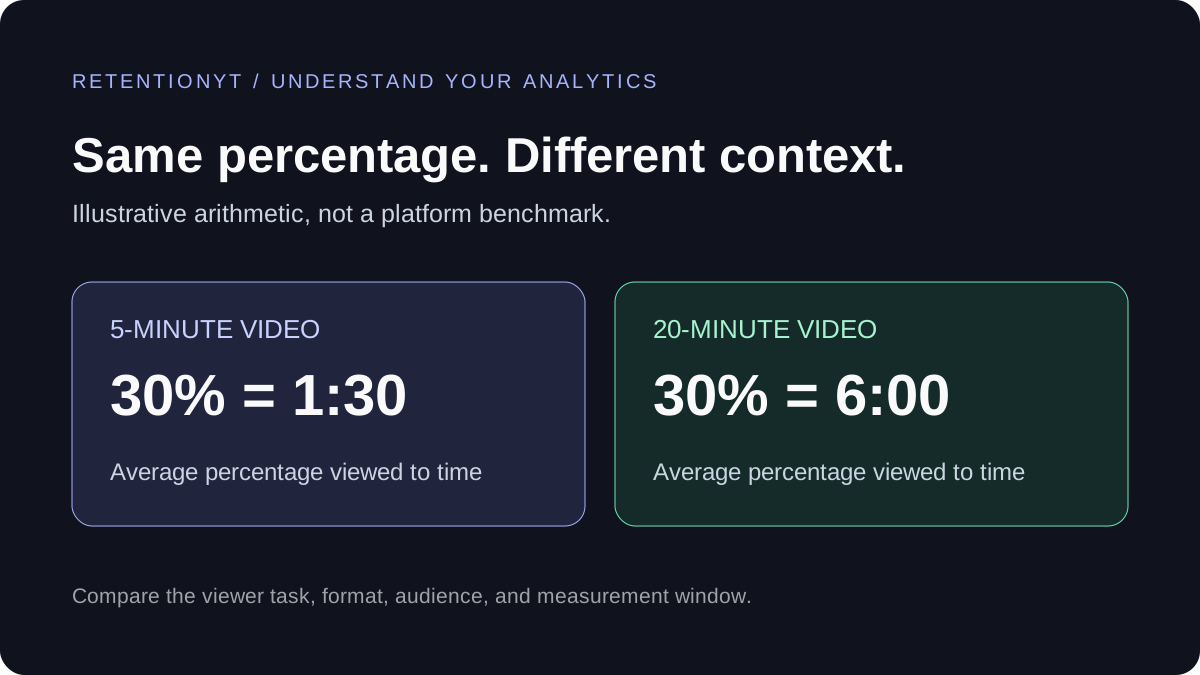
What Is a Good YouTube Audience Retention Rate?
A retention percentage needs context. Compare similar videos, separate intro retention from average percentage viewed, and find one useful change for your next script.