Stakes Sentence: Cost of Leaving Now
Use the YouTube hook stakes what you lose if you leave framework to turn a topic label into a specific cost, with eight practical examples and a Studio check.

8 min readUpdated
In this guide
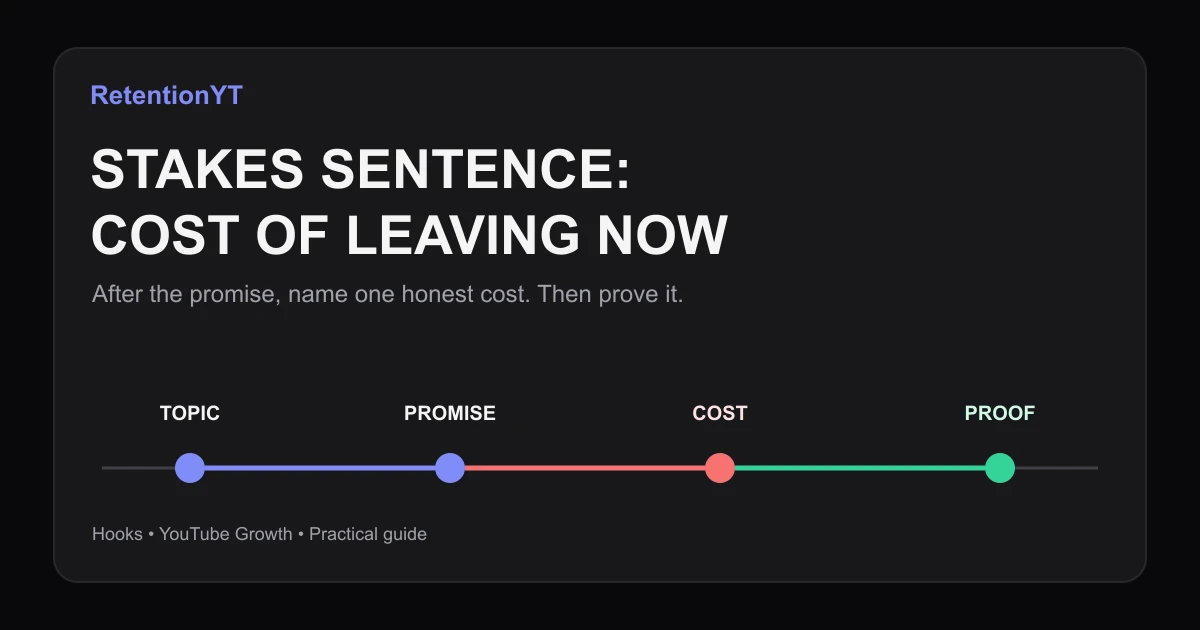
If a viewer leaves in the first 8 seconds, what do they lose? Name that cost after your promise: time wasted, a wrong setting, or a false number that survives into the next decision. Then show the fix. A stakes sentence is not a threat; it is the reason this particular viewer should keep watching this particular video.

Where RetentionYT fits
Manual method works alone. Product shortens the loop. Use RetentionYT for a second pass on the hook before recording; the stakes decision still comes from your real payoff.
What Stakes Sentence actually is (and what it is not)
A Stakes Sentence comes after the promise and names what the viewer risks losing: a wasted edit, wrong setting, misleading number, or redo. “Today we talk retention” labels; “Skip this check and you will keep rewriting thumbnails” gives a reason to stay.
The cost must be concrete and earned. Point to the step or decision; the video must demonstrate the fix.
This is not a fake deadline or algorithm threat. Use the topic to orient, the promise to define payoff, and the stakes sentence to name the avoidable loss.
| Hook part | Job | Weak version | Stronger version |
|---|---|---|---|
| Topic | Name the subject | “We are talking thumbnails” | “Fix the first-frame mismatch” |
| Promise | Name the payoff | “I will share tips” | “You will find the 0:08 mismatch” |
| Stakes | Name the cost | “This is important” | “Skip it and you will keep rewriting” |
| Proof | Earn the claim | “Trust me” | “Here is the setting and the result” |
These values are editorial rules of thumb, not YouTube benchmarks. The 8-second reference is a working checkpoint, not a universal cutoff.
YouTube’s locked documentation describes a Key moments for audience retention report showing how well moments held attention, and says typical retention can compare your 10 latest videos of similar length.2 That helps review the hook; it does not prove a stakes sentence caused a change.

Why this shows up in YouTube Studio
Before recording, write and test the sentence. After publishing, inspect held moments and compare recent videos.
SOURCE 2 says to sign in to YouTube Studio, select Analytics, then Content. SEE MORE or ADVANCED MODE opens an expanded report for data, comparisons, and export.2 Its Videos area includes Key moments for audience retention and typical retention comparing 10 latest videos of similar length.2
SOURCE 1 currently opens Reach, not the “Audience retention” page named in the brief. Its verified path is Content, selected video, Analytics, Reach, with discovery, impressions, views, and watch time facts.1 The mismatch is in the handoff.
Use the data as a review loop, not a verdict. Compare promise, cost, and proof with 9 YouTube hook formulas and how to write a YouTube hook, then return to your graph.
Worked example 1: the failure
Consider an illustrative thumbnail tutorial. The creator opens: “Today we are talking about thumbnails.” A vague warning delays the first setting until 0:30. The topic is clear, but leaving costs nothing.
The creator tries: “This is important, so keep watching.” It adds pressure without naming a loss or proof.
| Illustrative time | What the viewer hears | Cost of leaving | Diagnosis |
|---|---|---|---|
| 0:00 | Topic label | None | Subject is named but not made useful |
| 0:08 | Generic warning | Unclear | Stakes are emotional, not concrete |
| 0:30 | First setting appears | Already left | Proof arrived after the decision |
These times are invented, not YouTube data or a RetentionYT study. The failure is structural: delayed cost and proof give no reason to pay 22 seconds.
The better diagnosis is “name the avoidable rework.” Say: “Skip this check and you will keep rewriting thumbnails for a 0:08 problem,” then show it.
Worked example 2: the fix
Now rewrite the same illustrative tutorial. Topic: “Fix the first-frame mismatch.” Promise: “Find the setting that makes your thumbnail promise and opening frame disagree.” Stakes: “Skip this check and you will keep rewriting thumbnails for a 0:08 problem.”
The line names action, waste, and proof. It does not claim every video has a 0:08 problem; this is illustrative. Show the setting.
Here are eight honest cost patterns. Use only a cost your lesson can demonstrate.
- Time: “Leave before this shortcut and you will repeat the edit on every upload.”
- Wrong setting: “Skip this menu and your recording will use the wrong frame rate.”
- False number: “Miss this calculation and your dashboard will show a believable but wrong number.”
- Redo: “Leave before the export check and you may render the file again.”
- Missed decision: “Skip this comparison and you will choose the wrong setting.”
- Hidden constraint: “Leave before the file check and your upload may fail for a catchable reason.”
- Lost context: “Skip this example and the simple rule will break on the real case.”
- Wasted test: “Leave before the control version and you will not know whether it helped.”
These are editorial templates. Use a cost your proof can earn.

How to check this in YouTube Studio (step by step)
1. Write the hook before you open the report
Write three lines: topic, promise, and one cost. The hook should make sense without a dashboard.
2. Mark the first useful beat
Use seconds. Mark when the promise becomes concrete, such as 0:08 or 0:30 in an illustrative example. Late proof is an editing question.
3. Open the verified report
In YouTube Studio, follow SOURCE 2: sign in, choose Analytics, then Content. In Videos, find Key moments for audience retention and inspect moments held.2 If available, compare typical retention across your 10 latest videos of similar length.2
4. Compare the hook as a sequence
Read the graph beside the script. Did topic, promise, cost, and proof arrive in order? Do not assign causation from one curve; use the sequence to rewrite.
5. Review the wider context
SOURCE 1 is a Reach page. Its Content-to-Analytics-to-Reach workflow and discovery metrics provide context for how the video is found, not proof that your stakes line changed retention.1
6. Run one clean revision
Rewrite one sentence, not the channel. Keep topic, promise, and cost aligned; record wording, proof timestamp, and date.

The trap
The trap is using a cost that sounds serious but cannot be checked. “Your channel will die” is too broad. “You will export the wrong frame rate” is useful only when the tutorial actually teaches the frame-rate check.
The trap
The move
Another trap is stacking time, money, reach, and growth. Choose the cost closest to the payoff.
The cost should make the payoff clearer, not the fear louder.

What to do in the next upload
Use one cost after the promise, prove it before background explanation, then review the report without overclaiming.
- Write the topic in one plain sentence.
- Write the promised payoff in one concrete sentence.
- Add one honest cost of leaving now.
- Remove any threat the video cannot prove.
- Mark the first proof timestamp in seconds.
- Read the three-line hook aloud before recording.
- Inspect Key moments for audience retention after publishing.
- Compare typical retention only where the report provides it.
- Record the wording, date, and revision for the next upload.
Use the RetentionYT script analyzer once after drafting. The manual method works without signup. Keep it small: topic, promise, cost, proof. If it raises volume, cut it.
References
Frequently asked questions
- How do I add stakes to a hook?
- Write the promise first, then add one sentence naming what the viewer loses by leaving now. Make the cost concrete: wasted time, a wrong setting, a false number, or a missed decision. Keep it honest and connected to the video’s actual payoff. Stakes should clarify the reason to stay, not invent a threat.
- Is this clickbait?
- It becomes clickbait when the cost is exaggerated, hidden, or unrelated to the promised video. A fair stakes sentence names a consequence your video can actually prevent or explain. If your tutorial cannot change the outcome you mention, rewrite the sentence. The test is simple: the video must earn the cost you put in the hook.
- Should stakes be in the title too?
- Sometimes, but do not copy the same sentence into every surface. The title should make the topic and promise clear; the hook can add the immediate cost of leaving. Check that the title, thumbnail, and first eight seconds point to the same payoff. Stakes sharpen the reason to watch, while the title still needs to identify the subject.
- What does a stakes sentence look like in a tutorial?
- For a thumbnail tutorial, try “Skip this check and you will keep rewriting thumbnails for a 0:08 problem.” For a spreadsheet tutorial, try “Miss this setting and your totals will look right while staying wrong.” For a camera tutorial, try “Leave before this menu and your footage will keep recording the wrong frame rate.” Keep each cost specific and provable.
- Can stakes be a time cost not money?
- Yes. Time is often the most honest cost for a creator tutorial: repeated edits, a wasted export, a longer setup, or another upload spent fixing the same mistake. Say how the time is lost without inventing a number. “You will redo this later” is useful only when the lesson actually shows the step that prevents the redo.
- How do I apply “Stakes Sentence” on my next upload?
- Write your topic label, write the promise, then add one sentence beginning with the consequence of leaving. Replace vague fear with a concrete cost, read the three sentences aloud, and cut any claim the video cannot prove. Test two honest versions on paper before you record, then keep the one that points most directly to the payoff.
- Where in YouTube Studio do I check “Stakes Sentence”?
- Open YouTube Studio and inspect the video’s Analytics. The locked YouTube Help page places audience-retention key moments in the Content tab’s Videos area and says typical retention can compare your 10 latest videos of similar length. Use that report to inspect where attention was held, not to pretend it proves why a viewer left.
- What is the most common mistake with “Stakes Sentence”?
- The common mistake is naming a dramatic consequence instead of a useful one. “Your channel will die” is vague and unprovable; “you will export the wrong frame rate” is specific and testable. Another mistake is stacking three costs into the first eight seconds. Choose one cost, connect it to the payoff, and prove it quickly.
Give your next script a second look
Paste a script into RetentionYT for suggestions on your hook, pacing, and structure. Choose the edits that serve your video, then check audience behavior in YouTube Analytics after publishing.
Get retention tips in your inbox
Occasional, practical emails on hooks, pacing, and retention. No spam.
Related posts
Steelman the Viewer: A Skepticism Beat That Holds Minute 1
Address viewer skepticism in first minute YouTube with a spoken objection, a concrete Studio check, and a repeatable beat for finance, tech, and AI creators.
Table-Read Your Hook Out Loud at 0.75x and 1.25x
Read your YouTube hook out loud at 0.75x and 1.25x to expose extra clauses, missing breaths, and weak wording before the camera starts rolling.
The 3-Take Hook Test: Pick an Opening Without Publishing
Learn how to test YouTube hooks before uploading with three 15-second phone takes, one cold viewer, and a simple question that picks the opening worth filming.