Chapters as Mini-Hooks: Writing Chapter Titles That Don't Leak Viewers
Learn how to write YouTube chapter titles that protect retention: turn spoilers into mini-hooks, add a five-second recap, and check the cut in Studio.

10 min readUpdated
In this guide
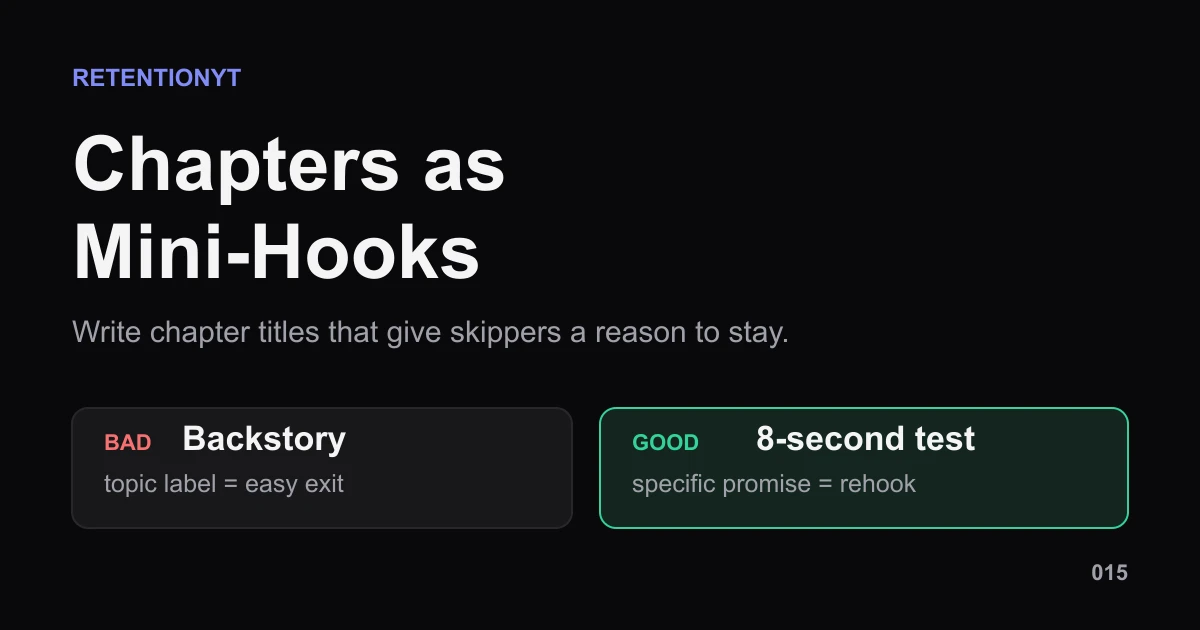
A chapter title can either keep the next idea alive or announce that the useful part is over. Start with the promise, not the topic: “The 8-second test I failed 14 times” creates a question; “Backstory” closes one. Give the cut a five-second spoken recap, then check the next upload against what your graph actually shows.

What Chapters as Mini-Hooks actually is (and what it is not)
Chapters as Mini-Hooks is a writing method for the labels and spoken handoffs between sections of your video. A mini-hook is not clickbait, a promise to reveal something you do not show, or a demand that every chapter sound dramatic. It is a compact, accurate reason to keep watching the next section.
YouTube defines video chapters as sections with individual previews. The platform says they add information and context to each portion of a video and let viewers rewatch different parts; chapters can be creator-added or automatic, and may appear in transcripts 1. That gives you the useful boundary: the feature is navigation. Your copy determines whether the navigation feels like a helpful map or a list of exits.
Those counters are the operating constraints, not performance claims. YouTube’s own instructions say a manual chapter list starts at 00:00, contains at least three timestamps in ascending order, and uses chapters at least 10 seconds long [1]. The five-second recap is an editorial rule of thumb: short enough to orient a skipper without turning the cut into another intro.
| Chapter copy | What the viewer gets | What you deliver next |
|---|---|---|
| “Backstory” | A broad topic label | Context, with no clear tension |
| “Why the first draft failed” | A specific unresolved problem | The failure and the lesson |
| “The 8-second test I failed 14 times” | A concrete question | The test, evidence, and result |
| “Three fixes for your intro” | A stated list | The three fixes in order |
Why this shows up in YouTube Studio
Your chapter list lives in the video description, so Studio is where you create, edit, or remove it. Open the video, select Content, choose the upload, and work in its Description field. Add the timestamp-title list, check that the first timestamp is 00:00, and save. If automatic chapters are active, a manual list overrides them [1].
That is the product workflow. After the upload, compare your chapter cuts with the audience response. The locked source currently identifies itself as “Understand your YouTube video reach,” not an audience-retention guide. Avoid promising a particular Studio report.
Where RetentionYT fits
Manual method works alone. Product shortens the loop. Use RetentionYT to review the script before you record, but you can apply every step here with a description field, a timer, and your own analytics.
Worked example 1: the failure
Imagine an illustrative eight-minute tutorial with four sections. The creator names the third chapter “Backstory” at 02:10, then opens with 22 seconds of context before reaching the promised technique. The label is accurate, but it does not tell a returning viewer what the context will solve or why the next 22 seconds are worth the wait.
The problem is not that a viewer can skip; navigation is the point. “Backstory” makes the next section illegible, so a returning viewer can land at 02:10 and decide the useful part is somewhere else.
The numbers below are illustrative, not YouTube data. They show how to diagnose the handoff rather than how a real channel should perform.
| Checkpoint | Illustrative viewers remaining | What the label communicates |
|---|---|---|
| 02:09 before cut | 640 | The current section is ending |
| 02:10 after chapter marker | 615 | A new section begins |
| 02:15 after spoken setup | 548 | The useful payoff is still not clear |
| 02:32 technique begins | 521 | The section finally earns attention |
Ask what changes at 02:10, what the section proves, and what five-second line makes the stakes clear. If nothing changes until 02:32, move the chapter or tighten the section; a clever label cannot rescue dead air.
Worked example 2: the fix
Keep the same illustrative tutorial and the same 02:10 cut. Replace “Backstory” with “The 8-second test I failed 14 times.” Open the section with: “I kept losing viewers before the value landed, so I tested the first eight seconds fourteen times; here is the version that finally made the promise clear.” Then show the test, not another overview of the topic.
The fix names the tension, preserves an unanswered result, and orients the person who skipped into the section. It cannot manufacture interest: the footage still has to pay off the test, and fourteen attempts must be true for the creator who says it.

Do not read the green line as a target. It is a visual model for the question you should ask: did the viewer receive a clearer promise at the cut? The Reach documentation supports checking discovery and watch-time metrics 2, not claiming that one title produces one curve.
How to check this in YouTube Studio (step by step)
- Open the upload in Studio and choose the description editor. Use the current YouTube Studio destination rather than an old screenshot, because labels and layouts can change.
- Write the timestamp list in a scratch document first. Put 00:00 first, add at least three timestamps in ascending order, and keep every chapter at least 10 seconds long. These are the source-backed format checks.
- Replace generic labels. For each section, write the viewer’s tension or the concrete test: “Why the first draft failed” is stronger than “Background” when failure is what the next section actually explains.
- Draft a spoken recap of about five seconds. Say where the viewer is, what is at stake, and what you will show next. Do not repeat the title mechanically.
- Paste the list into the description and save. If automatic chapters are enabled, remember that your manual list overrides them. If the feature is unavailable, do not invent a workaround; note the limitation and use the same copy as an on-screen or spoken handoff.
- Watch the cut as a skipper. Scrub to the timestamp, read the label, and listen to the first sentence. If the title reveals the conclusion, reopen the question without hiding the truth.
- After publishing, inspect the available analytics view as an editorial check, record what changed near each cut, and carry one finding into the next outline.
- Change one variable where possible and keep a short note with the timestamp and new label.
For scripting support before you film, the related tool can help you review the section handoffs. You can also use How to Script a YouTube Video for the larger retention-first structure and the YouTube Script Outline Template to assign a job and word budget to each section.

The trap
The trap is treating chapters as labels you write after the edit, when they are actually small promises sitting between sections. “Intro,” “Setup,” “Backstory,” and “Tips” may be accurate, but accuracy alone does not tell a viewer what changes if they stay.
A second trap is over-writing the hook. Use the smallest honest tension you can prove; the title should sharpen the question, not replace the substance.
The trap
The move
Do not read the label aloud and repeat it. Use the spoken line to add orientation: “Here is the decision that changed the test.” That is a handoff, not a heading read-through.

When should you skip “Intro” as chapter 1? Skip it as a meaningful label when the opening is only a greeting, logo, or promise that does not deserve a return trip. Keep 00:00 in the timestamp list because the format requires it; choose a label that describes the real opening promise. If the first section truly is an introduction viewers may want to revisit, “Intro” can stay—but a specific label is usually more useful.
What to do in the next upload
Build the chapter list while you outline, not after you export. Give every section a job, a specific tension, and a first sentence that pays the title forward. Then use this checklist before you publish:
- Write the promise each section must deliver.
- Replace generic labels with honest tension or a concrete test.
- Keep the first timestamp at 00:00.
- Use at least three timestamps in ascending order.
- Check that each chapter spans at least 10 seconds.
- Draft a spoken recap of about five seconds.
- Remove any label that gives away the full payoff.
- Scrub each cut as a returning viewer and as a first-time skipper.
- Record the old label, new label, and reason for the change.
- After publishing, carry one observed lesson into the next outline.

The method is manual and free to apply: use the description editor, a timer, and your own handoffs. If you want a second pass before recording, RetentionYT is optional—not a prerequisite.
A chapter should tell the truth about the next section while leaving one useful question open.
Frequently asked questions
- Do chapters hurt retention?
- Chapters do not automatically hurt retention. YouTube says chapters add information and context, and let viewers rewatch different parts of a video. The editorial risk is your wording: a spoiler label can remove curiosity. Treat each title as a promise, then check how viewers respond around the cut instead of blaming the feature.
- How should I name YouTube chapters?
- Name the tension, decision, test, or result the viewer is about to get—not a generic topic. “Backstory” tells people where you are; “The 8-second test I failed 14 times” gives them a specific reason to continue. Keep the title honest, compact, and aligned with what you actually deliver in that section.
- Should the first chapter be Intro?
- Use “Intro” only when the opening is genuinely a useful section that viewers may want to revisit. If your first meaningful idea starts after the setup, begin the chapter list at that point instead. YouTube requires the first timestamp you list to start at 00:00, so make that opening label earn its place.
- Do I say the chapter title on camera?
- Say a short spoken recap at the chapter start, but do not read the label like a menu. The recap should orient a skipper in about five seconds: name the problem, state what you are testing, and move. The on-screen title and spoken line should agree without repeating the same sentence word for word.
- Can chapters help search without killing watch time?
- Chapters can add information and context to each portion of a video, and they may appear in transcripts. That makes clear, accurate wording useful for discoverability and navigation, but it is not a promise of more search traffic. Write for the viewer first, then use your retention check to find labels that invite exits.
- How do I apply “Chapters as Mini-Hooks” on my next upload?
- Before publishing, list each section promise, replace generic labels with specific tension, and draft a five-second spoken recap for every cut. Keep the timestamp order valid, then watch your own upload as a skipper. After the video has data, compare the chapter cuts with your retention pattern and revise the next script—not the past result.
- Where in YouTube Studio do I check “Chapters as Mini-Hooks”?
- Use YouTube Studio to edit the video description and add your timestamp-title list, then use the video’s analytics view as your editorial check. You are looking for a drop or a handoff problem near a cut, not a universal benchmark. The exact menu labels can change, so follow the current controls in your account.
- What is the most common mistake with “Chapters as Mini-Hooks”?
- The common mistake is writing chapters as a neutral table of contents: “Setup,” “Backstory,” and “Tips.” Those labels are tidy for you but give the viewer no forward pull. Replace each with the unresolved tension or concrete payoff, then speak a brief recap so a skipper knows why the next seconds matter.
Give your next script a second look
Paste a script into RetentionYT for suggestions on your hook, pacing, and structure. Choose the edits that serve your video, then check audience behavior in YouTube Analytics after publishing.
Get retention tips in your inbox
Occasional, practical emails on hooks, pacing, and retention. No spam.
Related posts
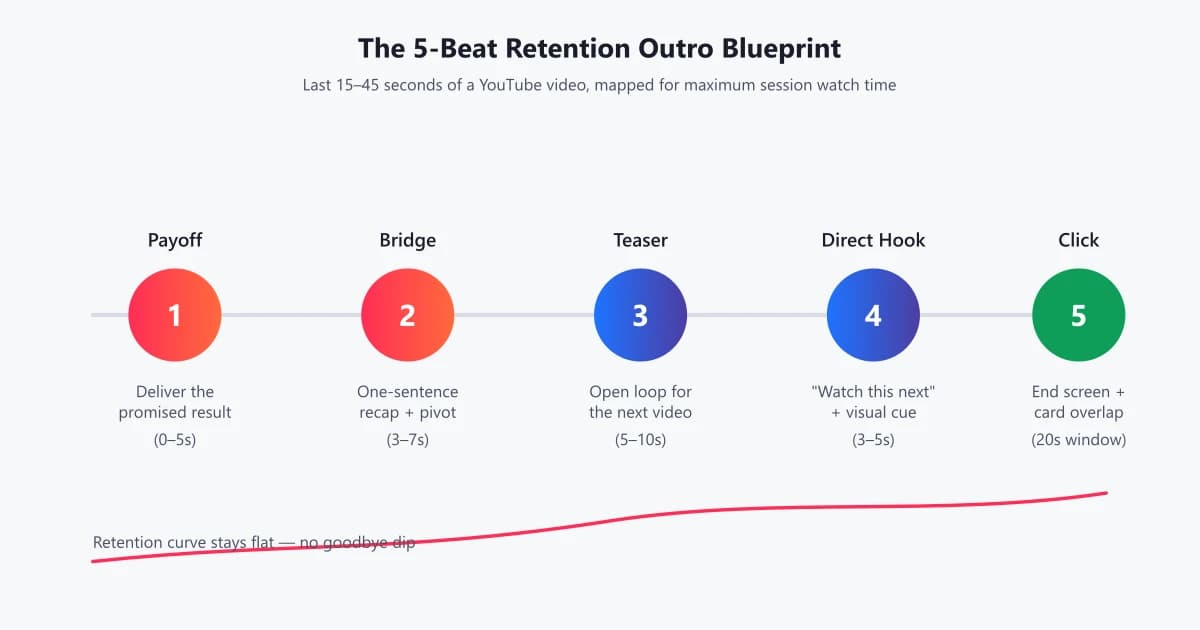
How to End a YouTube Video: Outros That Keep Viewers Watching
'Thanks for watching' is where retention goes to die. Learn how to script YouTube outros that hand viewers straight into the next video — with templates, WPM pacing data, and before/after examples.
How to Script a Talking-Head Video (Without Sounding Robotic)
A complete, retention-first framework for scripting talking-head videos that sound natural, hold attention, and outperform improvised takes. Templates, pacing data, and word-choice principles inside.
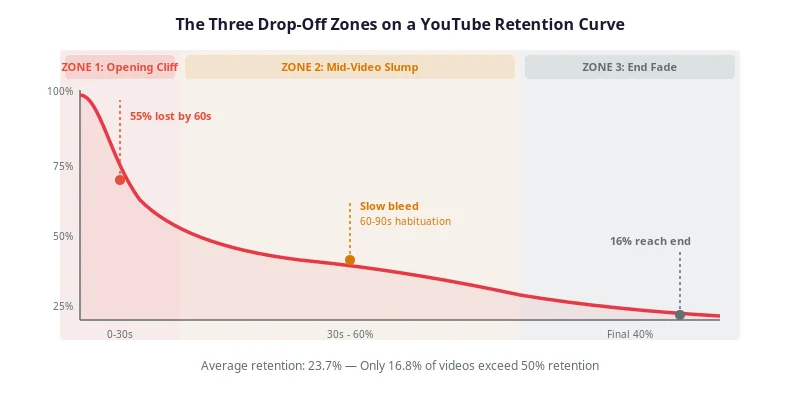
YouTube Script Pacing: The Words-Per-Minute Rule for Retention
How many words per minute should a YouTube script run? Reference ranges by format, a method to measure your own speaking rate, and a worked pacing map for a 10-minute video.